
Resource Center / Articles / Webflow vs WordPress for B2B Marketing Teams (2027)
Webflow vs WordPress for B2B Marketing Teams (2027)
 Martin Manchev • Tool Comparisons • Published on Dec 17, 2024 • Updated on Sep 27, 2026 • 9 min read

TL;DR
Both platforms need a developer to build the site. The difference is what you maintain after launch.
- Pick Webflow for managed hosting, security updates and SEO controls, with no plugins to keep updated.
- Pick WordPress if a large store or a mature plugin is central to the site, and a developer keeps it updated.
- Missing features: Webflow adds them with tools like Memberstack or custom code; WordPress adds plugins you then update and secure.
- Cost: Webflow's Premium Site plan is $300 a year before seats and developer time. WordPress on managed hosting with premium plugins came to $577 to $666 a year when we checked in September 2026.
- Migrating: redirect every old URL, set one canonical host and submit the new sitemap. Rankings still fluctuate while Google recrawls.
- Choosing for your site: six questions about how your site runs today give you a recommendation and the next step.
WordPress vs Webflow at a glance
Building and editing: who runs the site after launch
Webflow: developers build components, marketers build pages
Webflow retired its legacy Editor on August 4, 2026. Editing now happens in Edit mode, with a role per person: Marketers build pages from components and templates and update content, Content editors update text, images and CMS items, and Reviewers comment. A developer or designer still builds the components themselves, and comes back when you need a new one.

WordPress: page builders, plugins and updates
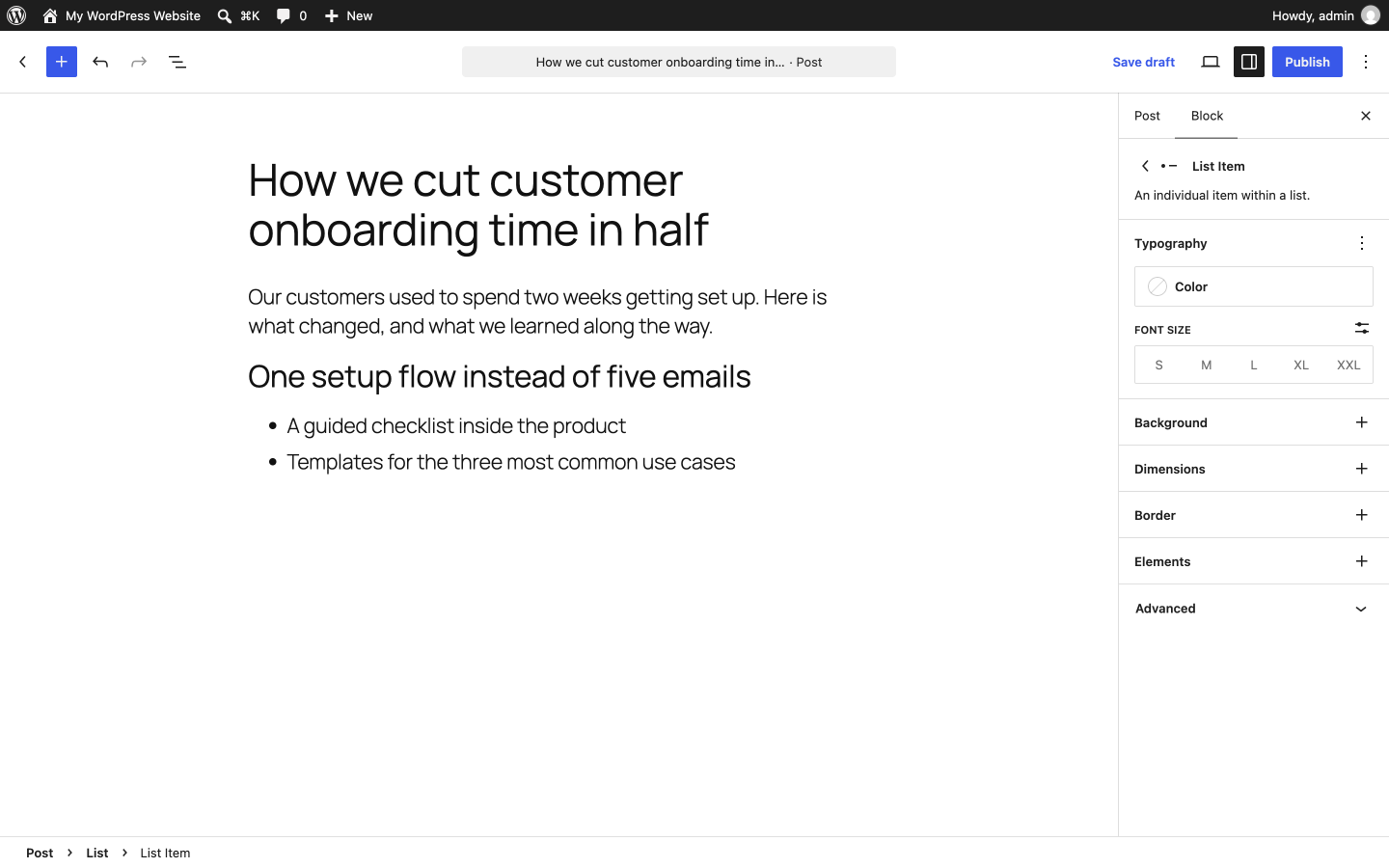
WordPress works the same way once it is set up well: a developer builds blocks, patterns or page builder templates, and marketers assemble pages from them. How locked-down those components are depends on the theme and builder. Someone also has to run core, theme and plugin updates, and test that nothing broke after each one. We compared one of the popular builders in Webflow vs Elementor.
"Wordpress was no longer working for us, so we had to change the platform to optimize & make the site more manageable."
— Ekaterina Kapotina, Co-Founder & Ops Director @Vis-on

The practical rule: on both platforms a developer builds the components and marketers build pages from them, so choose by what you want to maintain after launch.
Webflow CMS collections and WordPress custom post types
Webflow's CMS is built around collections: blog posts, case studies, integrations, team members. Reference and multi-reference fields connect them, and each collection gets a template page designed on the canvas. For a marketing site's content model it is quick to set up and hard to break. The Premium plan includes 40 CMS collections and 20,000 CMS items, so count your posts, case studies and other items against that before you import a large archive.
WordPress starts with posts and pages and grows through custom post types and custom-field plugins. There is effectively no ceiling on content structure, which suits large content archives. The cost is that the structure lives across several plugins, and each one is another thing to update.
SEO on Webflow and WordPress: built-in controls and plugins
Sites on either platform can rank. The difference is where each SEO control lives and who has to maintain it.
Schema is the one row where WordPress does more out of the box: Yoast SEO builds a structured-data graph for every page, while in Webflow you write and bind the JSON-LD yourself. Everything else Webflow ships without a plugin, so there is nothing to reconfigure after an update.
For how both compare with other platforms, see our best CMS for SEO breakdown.
What to consider when migrating from WordPress to Webflow
Most of the SEO risk sits in the move itself, whichever direction you go. Even a clean migration shows some movement: Google's site-move guidance says to expect temporary fluctuation in rankings while it recrawls the old and new URLs. These are the steps we check on every WordPress to Webflow migration to keep that dip short:
- URL inventory: list every indexed URL from Search Console and a crawl, including PDFs and images that have backlinks.
- A 301 for every old URL: WordPress permalinks rarely match Webflow's collection paths, so most blog URLs change. Map each one to its closest new page and test the map before launch.
- One canonical host: pick www or non-www, redirect the other, and set the canonical tag to match.
- Sitemap and Search Console: submit the new sitemap, and check that the Search Console property matches the host the site serves on.
- Plugin features: list what each plugin does and decide how Webflow covers it: natively, with a third-party tool, or with custom code.
- Content: map posts, rich text and images into Webflow collections. Plugin shortcodes inside post content do not carry over.
ProEdge Dental's migration, done by another vendor, launched with several of those steps skipped:
"We needed help fixing our technical SEO after a website migration from WordPress to Webflow didn't go as smoothly. We had over 80 404 errors, an unsubmitted sitemap, and a bunch of other SEO issues."
— Javier Lozano, Director of Marketing @ProEdge Dental Water Labs

On top of those, we found 4 redirects that looked fine but ended in 404s, and no canonical set between the www and non-www versions of the site. After the fixes, the site's Ahrefs technical health score went from 67 to 100.
Moving off WordPress?
We audit every indexed URL, map and test the redirects, rebuild what you need in Webflow, and monitor rankings for 30 days after launch.
Security updates and site performance on each platform
Webflow runs the hosting, the CDN and the security updates, so there is no core, theme or plugin to patch. Our Webflow security breakdown covers what that does and does not cover.

On WordPress, security is a maintenance schedule. Core, theme and every plugin need updates, and each update can break something another plugin depends on.
Performance comes down to a few technical factors on each side:
- Rendering and caching: Webflow serves pages as static files from its CDN. WordPress builds pages in PHP on each request unless page caching is set up at the host or through a plugin.
- Front-end weight: page builders add extra markup, CSS and JavaScript to every page, and plugins can load their scripts site-wide. On Webflow, interactions add their own JavaScript, and third-party embeds are the usual cause of slow pages.
- Images: both platforms can serve modern formats and lazy-load images; on WordPress that often depends on a plugin or the host.
- Control: WordPress lets you tune the server, caching and theme code. Webflow manages the hosting layer for you, so there is less to tune and less to misconfigure.
Measure Core Web Vitals on your own page templates before and after a move; the page builder and third-party scripts usually matter more than the platform.
Integrations for a B2B marketing stack
Webflow covers the B2B basics natively or through its app marketplace: forms into HubSpot, automations through Zapier or Make, and custom code embeds for anything else. WordPress has a plugin for almost every tool. For a marketing site with a CRM, analytics and a scheduler, both are enough; the difference shows up when you need something unusual.
Member areas are the one to plan for. Webflow retired its native User Accounts on January 29, 2026, so gated content and member logins on Webflow now run on tools like Memberstack or Outseta. On WordPress, user accounts are part of core, and membership plugins build on them.
AI features on Webflow and WordPress
Both platforms added AI in 2026, in different ways.
- Webflow: Webflow AI and an MCP server are included on every Site plan. The MCP server lets assistants like Claude read and edit a site's pages and CMS content, and Webflow launched an official Claude connector on February 9, 2026.
- WordPress: WordPress 7.0, released on May 20, 2026, added an AI Client to core. It connects WordPress to the generative AI provider you choose, managed from one screen in the dashboard, and plugins and themes build their AI features on top of it.
The practical difference: Webflow's AI comes with the plan, while on WordPress you connect your own AI provider account, and what you can do with it depends on the plugins you install.
Ecommerce: Webflow, WooCommerce and Shopify
Teams usually pick Webflow for front-end design control, and its native ecommerce reflects that: fine for a small catalog, limited once you need complex product options or a large inventory. WooCommerce on WordPress goes further on store features. If you want Webflow's design control with a full commerce engine behind it, you can connect Shopify to a Webflow site.
Webflow vs WordPress pricing in 2027
Webflow pricing after the May 2026 plan changes
Webflow restructured its plans in May 2026. The old CMS and Business plans merged into Premium, which includes the CMS, site search and 50 GB of bandwidth for $25/mo billed yearly. Basic, at $15/mo billed yearly, has no CMS. Above those sits a new Team plan at $2,500/mo on an annual contract, with localization, publishing workflows and governance included. The full breakdown, including seats and add-ons, is in our Webflow pricing guide.
WordPress pricing: builders, plugins and hosting
WordPress itself is free. What you pay for depends on the stack around it, and the page builder is the choice that shapes the rest. Gutenberg, the block editor in WordPress core, costs nothing. Divi is a theme and builder in one, Bricks is also installed as a theme, and Elementor and Beaver Builder are plugins that run on top of most themes.

A B2B marketing site usually adds four more layers: a custom-fields plugin for structured content, an SEO plugin, a forms plugin and managed hosting. A multilingual plugin comes on top if you publish in more than one language. This is what each layer cost on the vendors' own pricing pages in September 2026:
Put together, a single-language site on Kinsta with ACF Pro, Yoast SEO Premium and Gravity Forms comes to about $577 a year on Gutenberg, $626 with Elementor Pro and $666 with Divi. The Webflow side of the comparison is the Premium Site plan at $300 a year, which covers hosting, forms, SEO controls and the CMS. Seats for the people who build in the Designer or edit in Edit mode, and add-ons like Localization, are billed on top, so treat $300 as the floor of Webflow's running cost.
Neither number includes developer time. Both platforms need it to build new components and features, and WordPress adds core, theme and plugin updates on top. Some of the WordPress prices above are discounted first-year rates, so budget for the renewal price in year two.
The practical rule: if nobody on your team will patch WordPress, price in a developer retainer before you compare sticker prices. For the build itself, see what a Webflow website costs. For a move from WordPress, see what a migration costs.
What we've learned moving sites from WordPress to Webflow
We build on Webflow, move sites off WordPress onto it, and moved our own site off Webflow onto a custom stack. Three lessons from those projects:
- Animation-heavy designs are easier to maintain in Webflow. On Morphoses, the new homepage ran on scroll-synced SVGs, GSAP and Lottie, which the team could not maintain in WordPress. After the move, with Webflow Localization for Greek and English, organic traffic grew from 500 to 1,700 visitors a month.
- Define what easy to edit means before you pick a platform. We moved The Accountant Quits off WordPress onto Webflow years ago. When the client later asked for simpler management, what they wanted was to assemble new pages from existing components, with no free-form canvas to break by accident. A Sanity page builder does exactly that, so we moved the site to Astro and Sanity in about a week.
- A reverse proxy removes the single cutover. We are moving Cordial's site from WordPress to Webflow section by section. A reverse proxy serves both platforms on the same domain, so each section launches on its own schedule and keeps its URLs. The trade-off is running two platforms until the last section, a 400+ item resources library, moves.
How to choose between Webflow and WordPress: a decision matrix
Go row by row and mark which column describes your site.
Should your site run on Webflow or WordPress?
Six questions about what your site needs and who looks after it. We'll tell you which platform fits, and what to do next.
If you want to own the code and neither platform fits, a custom stack is the third option. We moved our own site to one and wrote up the trade-offs in Webflow vs Next.js.
Webflow vs WordPress: frequently asked questions
Is Webflow better than WordPress for SEO?
For most marketing sites, Webflow is easier to keep correct because the SEO controls are built in and nothing breaks on a plugin update. WordPress with an SEO plugin does more schema automatically. Sites on either platform rank when the technical basics are set up and maintained.
Does Webflow need plugins like Yoast?
No. Meta tags, sitemaps, redirects, canonicals and robots.txt are built in. Schema is the exception; you add it as JSON-LD in page or template code.
Is Webflow more expensive than WordPress?
Not on plan fees alone. Webflow's Premium Site plan is $300 a year, and seats for builders and editors come on top. A WordPress site on managed hosting with a page builder, ACF Pro, a premium SEO plugin and a forms plugin came to $577 to $666 a year when we checked in September 2026. Both need developer time on top.
Will I lose rankings moving from WordPress to Webflow?
Expect some movement. Google says rankings fluctuate temporarily during a site move and settle over time, and a few weeks is normal for a medium-sized site. Mapping every indexed URL to a 301, setting one canonical host, submitting the new sitemap and monitoring after launch keeps the dip short and catches problems early; none of it guarantees rankings.
Is WordPress less secure than Webflow?
WordPress core is well maintained. The risk sits in themes, plugins and missed updates, which the site owner is responsible for. Webflow handles all of that on its side.
Should a B2B SaaS company use Webflow or WordPress?
If marketing owns the content and you would rather not maintain plugins, Webflow. If the site depends on a mature WordPress plugin and a developer already maintains it, WordPress. Either way, new components need a developer, and marketers can build pages from them once they exist.
Weighing a move off WordPress?
We build on Webflow, migrate sites onto it and off it, and we will tell you when staying on WordPress is the right call. Browse every path on our migrations hub, or talk to us.
Share the Article


Kickstart your project today!
Book a call to discuss your goals and how we can help you reach them.
See Khod First on Google
Martin Manchev might specialize in Webflow, but at heart he's a full stack developer. He has over three years of experience in the field and over 50 projects across various industries behind my back.
With that being said, the sole focus of his career remains helping clients bring designs to life and optimize them as much as possible to bring them results they are looking for. When away from developing web projects, you’ll find him making music, leading worship, or chasing goals on the football field.
Table of Content
Kickstart your project today!
Book a call to discuss your goals and how we can help you reach them.
See Khod First on Google
Explore Related Articles

Website Strategy • Nov 2, 2026 • 11 min read
Website Replatforming: What It Is and When a B2B Team Should Do It
Sanity • Oct 27, 2026 • 13 min read
Webflow vs Sanity: Which One Fits Your Team?
Sanity • Oct 20, 2026 • 10 min read
Sanity Pricing in 2027: Plans, Overages and Monthly BillsYour Next Deal Starts With Your Website
Most deals are won or lost before your sales team gets involved. Let's make sure your site is ready for that moment.
