
Resource Center / Playbooks / Website Migration Checklist
Website Migration Checklist
A 50-point checklist for moving a site to a new platform, domain, URL structure or host while protecting rankings, content and leads. Work through it below, or download the URL mapping template to plan your redirects.
Published Sep 24, 2026 • Last updated Sep 27, 2026 • Reviewed and updated quarterly by Khod's development and SEO team.

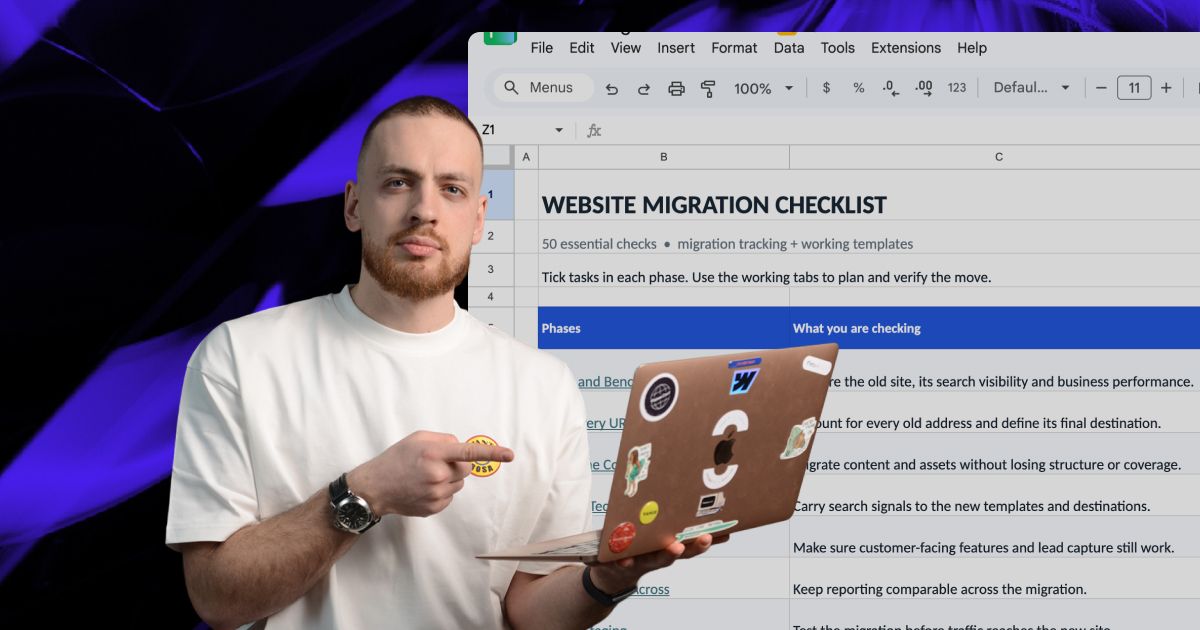
TL;DR
A website migration can lose traffic the site already earned. Every ranking page goes through a redirect, and Google says a medium-sized site can take a few weeks or more before the new URLs replace the old ones in results.
It has 50 checks, in the order a migration happens:
- Audit: a crawl, page-level benchmarks and a content freeze
- URL map: every old URL, one redirect each
- Content: fields, rich text, files and counts that match
- Technical SEO: titles, canonicals, structured data and sitemaps
- Functionality and tracking: forms, integrations, GA4 events and consent
- QA and cutover: bulk redirect tests, go/no-go and Change of Address
- After the move: daily Search Console checks and a 30-day review
Tick each one as you go. Every check opens to explain why it matters and who the guidance comes from.
This is the checklist we use on every website migration we do for clients. We also used it to move khod.io off Webflow onto Next.js and Sanity, roughly 180 pages in about a week, and to fix a migration another team left unfinished, where the sitemap had never been submitted and Search Console was tracking the wrong domain.
It applies to any move: a new platform or CMS, a new domain, a new URL structure or new hosting. It splits into three parts:
- Before the move: the audit, the URL map, the content and everything you test on staging
- Cutover: the day the redirects go live
- After the move: the monitoring that catches what slipped through
Tick each check as you go. Progress is saved in this browser. Each check opens to show why it matters and who the guidance comes from.
Only need the SEO migration checklist? The checks that protect rankings are in three sections: Map Every URL, Protect Technical SEO and Monitor After the Move.
Your progress is saved in this browser. Nothing is sent anywhere.
Before the Move
39 of 50 checks · 7 categories
Audit and Benchmark
Capture the before, while the old site is still the one ranking.
Name the type of move
Platform, domain, URL structure, hosting or design: each one changes what can break.
A hosting move that keeps every URL is low risk. A new domain or URL structure means every page needs a redirect, and each redirect is a place traffic can leak.
Write it down in two lines
- What changes: platform, CMS, domain, URL paths, hosting, design
- What stays the same, ideally the URLs and the copy on your top pages
Every extra change on launch day makes a drop harder to explain. If the design can wait until after the move, let it.
Based on guidance from

Crawl the old site and keep the export
Every URL with its status code, title, H1 and canonical.
Once the old site is gone, this crawl is the quickest record of what was on it. Run it with Screaming Frog SEO Spider or another crawler, and keep the export with the project.
Keep these columns
- URL, status code and whether Google can index it
- Title, meta description and H1
- Canonical, word count and the internal links pointing to it
It is the full URL list you compare staging against and test redirects with on launch day.
Based on guidance from

Benchmark traffic, rankings and conversions per page
Export Search Console and GA4 data at page level before anything changes.
Site-wide totals hide the damage. A gain on the blog can cover a loss on the pages that sell, so pull the numbers per URL and group them by page type: services, blog, case studies, landing pages.
Export before launch
- Search Console: clicks, impressions and average position per page
- GA4: sessions and key events (conversions) per landing page
- Rankings for the queries that bring in leads
Search Console keeps only 16 months of data, and a new domain starts a new property with none, so this export is your long-term record.
Based on guidance from

List every page that earns backlinks
Flag every URL with backlinks in the URL map so each one gets a redirect.
A linked page that 404s after launch stops passing link value.
Export linked URLs from a backlink tool and from the Links report in Search Console, then mark them as priority rows in the URL map.
Based on guidance from

Record Core Web Vitals before the move
Loading speed (LCP), responsiveness (INP) and layout shift (CLS) for each main template.
Record field data, measured on your visitors' devices, from Search Console or PageSpeed Insights before the move so you can compare it after launch. Field data covers only the last 28 days, so the old site's numbers are gone within a month of launch. If a page has too little traffic for field data, record a PageSpeed Insights lab score.
- Homepage, a service page, a blog post and any template with heavy media
- Search Console's Core Web Vitals report for the site-wide picture
Further reading

Set a content freeze
Agree the date after which nobody publishes on the old site.
Content is exported once, usually as CSV files from the CMS the site runs on today. Anything published on the old site after that has to be copied across by hand.
- Pick the freeze start and tell everyone who publishes
- Log any urgent edit made during the freeze so it can be repeated on the new site
- Keep the freeze short by importing close to launch
Based on guidance from

Map Every URL
The redirect map decides whether rankings follow you to the new site.
Merge every source of old URLs
Crawl, sitemaps, Search Console, GA4 landing pages, backlinks and logs, deduplicated into one list.
Landing pages that nothing links to, old campaign URLs and linked PDFs are invisible to a crawler.
Combine
- The pre-migration crawl and the XML sitemaps
- Top pages from Search Console and landing pages from GA4
- Linked URLs from your backlink tool, and server logs if you have them
Remove duplicates. That list becomes column A of the URL map.
Based on guidance from

Map each old URL to its closest new page
One to one where the page exists, the nearest topic match where it doesn't.
Google's John Mueller warns against redirecting many old URLs to one irrelevant page such as the new homepage. It confuses visitors, and Google can treat those redirects as soft 404s, so the old page's rankings don't carry over.
Fill in for every row
- Old URL, new URL and redirect type
- Priority, from traffic and backlinks
- An owner for anything marked as needing a decision
Our URL mapping template has these columns ready.
Based on guidance from

Keep URLs unchanged wherever you can
An unchanged path needs no redirect.
Platforms bring their own URL defaults. Webflow nests CMS items under a collection folder, WordPress can add dates or categories, and headless builds follow whatever URL patterns the developer sets up.
Compare those rules with your current paths before the content model is built, while changing them is still cheap.
Based on guidance from
Use permanent redirects, one hop each
301 or 308 straight to the final URL, with no chains and no loops.
A permanent redirect (301 or 308) tells Google the new URL should replace the old one. A temporary one (302 or 307) signals the old URL may come back, so Google can keep treating the old address as canonical.
Google follows up to 10 redirect hops, but each hop slows the page for visitors and is one more place to break. Point every old URL at its final destination in one step.
JavaScript redirects are a last resort, for platforms where server-side redirects aren't possible.
Based on guidance from

Cover every URL variant
Trailing slashes, uppercase, http, www, query strings, images and PDFs.
The old site may have answered to /page and /page/, or to mixed-case paths. The new one may return a 404 for the variant it doesn't use.
- Test each variant the old site served, including http and non-www
- Make sure URLs with tracking tags (like
?utm_source=) still load the right page
Based on guidance from

Retire pages on purpose
Dropped pages return 404 or 410 and leave internal links and sitemaps.
Near-empty tag pages, expired campaigns and duplicates can stay behind. Mark them in the URL map, remove internal links to them and let them return 404 or 410. A 410 tells Google the page was removed on purpose, so it drops out of the index sooner.
If a page still gets visitors or has links pointing at it, redirect it to its closest match.
Based on guidance from

Move the Content
Every page, field and file carried across, then counted.
Map old content types to the new model
Every collection, field and relationship has a destination before import starts.
List each content type, its fields and how it references other types. Then decide where each field lands in the new CMS.
Copying the old structure also copies its workarounds, like fields named Image 1, Image 2, Image 3, or collections that exist only to get around a platform limit. Fix the structure before content goes in.
Based on guidance from

Carry rich text across with its structure
Headings, links, lists, tables and embeds survive the import, checked on sample pages.
Heading levels flatten, embeds arrive as raw code and links in body copy keep pointing at the old domain.
Test with a sample first
- Import the ten longest and most complex pages
- Compare each with the original, side by side
- Fix the import script, then import everything
Based on guidance from

Re-host images and files with their alt text
Every asset moves to the new host, keeps its alt text and gets a redirect if it was indexed.
Assets served from the old platform's CDN disappear when the account closes.
- Download every image and file and upload it to the new host
- Redirect old image URLs that earned links or image-search traffic
- Move each image's alt text with it
- Keep descriptive file names, which Google uses as a signal for image search
Based on guidance from

Point internal links at final URLs
Body copy, navigation and footers link to new URLs directly, with no redirect in between.
Your own links should skip the redirect. After import, crawl the new site for internal links that hit a redirect or a 404 and fix them at the source.
On the On-Chain Finance Institute move, internal links across all 207 migrated URLs were repointed to their new addresses before launch.
Based on guidance from

Keep authors, dates and categories
Bylines, publish dates, author pages and categories move across in their own fields.
Resetting every post to launch day erases the dates readers use to judge freshness. Store publish dates in their own fields so they survive the import, and keep author pages.
Based on guidance from

Count old against new
Item counts match per content type before sign-off.
Your content inventory from before the move is the baseline. Count items per collection on the old site and on the new one. Any gap is a page that did not make it.
Then compare the ten pages with the most search traffic against their old versions, line by line.
Based on guidance from

Protect Technical SEO
On-page signals, carried across one for one.
Keep titles, meta descriptions and H1s
Top pages launch with the titles and headings they rank with today.
Rewriting titles during a migration makes it hard to tell whether a drop came from the move or the new copy. Carry them over, launch, and edit once traffic to the new URLs has held steady for a few weeks.
Compare the old crawl with the staging crawl field by field.
Based on guidance from

Point canonicals at the new URLs
Every canonical references the page's own new URL, with no old-domain or staging addresses.
Canonicals should agree with the redirects and name the new URL. A canonical left on the old URL asks Google to keep indexing the old page. Staging addresses in canonical tags are a leftover we check for on every build.
At ProEdge Dental, canonicals were never set between the www and non-www versions after the previous migration, one of the gaps behind a four-month slide in impressions.
Based on guidance from
Rebuild structured data on the new templates
Organization, article, product and breadcrumb markup, validated before launch.
Structured data often comes from a theme, a plugin or custom code, so a platform change leaves it behind.
- List the types on the old site from a crawl
- Rebuild them on the new templates
- Test key pages in the Rich Results Test before launch
Based on guidance from

Update hreflang for every language
Each language version references the others by their new URLs, both ways.
Hreflang tags, the code that tells Google which language version to show, reference full URLs, so a domain or URL change touches every one of them. Tags must be reciprocal: if the English page points to the German one, the German page points back.
Based on guidance from

Check robots.txt and noindex on the production build
Staging blocks come off, and nothing that should rank carries noindex.
Staging sites are blocked with a noindex tag, an X-Robots-Tag header or a robots.txt rule, and any of them can ship to production by accident.
- Read the production robots.txt line by line
- Crawl for noindex tags and X-Robots-Tag headers
- Check again after every deploy in launch week
Based on guidance from
Build the new sitemap and keep an old one
A sitemap of final new URLs, plus a sitemap of old URLs kept for about a month.
The new sitemap lists only final, indexable URLs. For the first few weeks we also keep a sitemap of the old URLs in Search Console, so we can watch them drop out of the index.
At ProEdge Dental the sitemap was never submitted after the previous agency's migration, and nobody noticed for four months.
Further reading

Rebuild Functionality
Everything the site does for visitors and sales, rebuilt and tested.
List every integration
Forms, CRM, chat, scheduling, search, payments, tracking pixels and embeds, each with an owner.
Go through the old site's scripts, embeds and form settings. List every third-party service, where its data goes and who owns the account.
Every line needs a replacement or a decision to drop it.
Based on guidance from

Test every form end to end
Submit each form on staging and confirm the lead reaches the CRM with every field.
A form can show its thank-you message and deliver nothing. Nobody notices until the pipeline looks thin.
For each form, check
- The notification email arrives
- The CRM record exists, with source and UTM fields filled
- Any automation it should trigger fires
Based on guidance from

Decide what happens to search, filters and gated content
Site search, filtering, member areas and downloads behave the way they did.
Content moves with an export. Features built on the old platform's tools stay behind. Decide for each one whether it is rebuilt, replaced with a service or retired, and test logged-in states with a test account.
Further reading

Return a 404 status with a useful page
Missing URLs answer with a 404 status, your navigation and a search box.
A missing page that returns a 200 status can show up as a soft 404 in Search Console. A 404 status tells Google the page is gone, and navigation and a search box keep the visitor on the site.
Based on guidance from

Carry Tracking Across
The same measurement before and after, so the numbers compare.
Keep the same GA4 property
Install the existing property on the new site so your history carries on.
With the same property you can compare the week before launch with the week after in one report.
- On a domain change, add the new domain under Configure your domains
- Check triggers and filters that use the full URL or hostname
Based on guidance from

Recreate every key event
Form submissions, demo bookings and purchases fire on the new site with the same names.
A tag can fire and still record the wrong thing. List the key events in the old property. Trigger each one on staging and check it in DebugView. Keep the same event names and parameters so reports compare like with like.
Based on guidance from
Test consent in each region with its own rules
The cookie banner and consent mode behave as before, for accept and reject.
Consent mode can set different defaults per region. Test in a fresh browser from each region with its own defaults, such as the EU and the US (a VPN works). Accept, then reject, and confirm tags respond to each choice.
Based on guidance from

Annotate the launch date
Mark the migration in GA4 and your reporting.
Add an annotation for launch day and for any large redirect fix afterwards, so a traffic change months later has an explanation in the report.
Based on guidance from

Verify the new site in Search Console before launch
Add the new domain as a Domain property and keep the old property.
A Domain property covers http, https, www and every subdomain in one view. Verify it before launch so data starts on day one, and keep the old property: you need it for the Change of Address tool and to watch old URLs drop out.
At ProEdge Dental, the only Search Console property the team could see was not tracking the domain the live site served from, and the migration's damage went unnoticed for four months.
Based on guidance from

QA on Staging
Problems found here cost an afternoon. After launch they cost traffic.
Test the whole redirect map in bulk
Every old URL requested, every redirect checked for status, hops and destination.
Load the full old URL list into a crawler in list mode, pointed at staging, with redirects set to be followed. Each URL should return a single 301 to the destination in your map.
Chains, 404s and wrong destinations go back to the map with a note.
Based on guidance from
Compare the staging crawl with the old crawl
Titles, word counts and other key elements, page for page.
Crawl staging with the same settings you used on the old site and compare the exports. A drop in word count points to content that did not import. A change that repeats across many pages points to a template problem.
Further reading

Test speed on each new template
Lab tests on staging, compared against the baseline you recorded.
Staging gets no visitors, so use lab data from Lighthouse or PageSpeed Insights and compare it with the baseline. Fix a slow template before launch: Google's field data covers the last 28 days, so a slowdown takes weeks to show up and weeks to clear.
Further reading

Keep staging out of search
A password or IP restriction on staging.
A staging site that gets indexed competes with the site you are protecting. A noindex tag only asks search engines to stay away, and anyone with the link can still open the page, so put staging behind a login.
Based on guidance from

Work through the website launch checklist too
DNS, SSL, legal pages, accessibility and performance checks live there.
The general launch checks, such as DNS and SSL, favicons, legal pages, accessibility and cross-device testing, are in our 61-point website launch checklist. This list covers only the extra work a move adds.
Further reading

Agree go/no-go criteria and a rollback plan
A named decision owner, the checks that must pass and the steps to switch back.
Write down before launch day what would make you roll back and who makes that call.
- The checks that must pass: redirects, forms, tracking, indexability
- Who decides, and how quickly
- The exact steps back: DNS records, old hosting, redeploy
If the old site is still running on its old host, rolling back is mostly a DNS change. Lower the DNS TTL a day before launch so switching back takes minutes.
Based on guidance from

Founder and Tech Lead @ Khod
Cutover
5 of 50 checks · 1 category
Launch and Cut Over
The day the redirects go live and Google starts learning the new addresses.
Launch in a quiet window
A low-traffic day, with the people who can fix things on hand for 48 hours.
Check analytics for your lowest-traffic day and hour. Avoid Fridays and anything that clashes with a campaign, and make sure the people who can fix DNS, redirects and forms are around for two days afterwards.
For a large site, move one section first and watch its traffic and indexing before moving the rest.
Based on guidance from

Test redirects again on the live domain
The full old URL list, checked on the live site within the first hour.
Redirects that passed on staging can still fail live. A CDN or hosting rule can change how a live request is handled. Check the whole list again as soon as DNS points at the new site.
Based on guidance from
Remove staging blocks and submit sitemaps
Noindex and passwords off, sitemaps submitted, key pages inspected.
- Read the live robots.txt and crawl for noindex
- Submit the new sitemap in Search Console
- Inspect the homepage and top pages with the URL Inspection tool and request indexing
Further reading

Use Change of Address for domain moves only
Moving to a new domain or subdomain? Tell Google in Search Console.
The Change of Address tool is for moving to a new domain or subdomain. It does not apply to an http to https switch, www changes, path changes on the same domain or a new host.
It needs both properties verified and permanent redirects in place, and Google says the move can take up to 180 days to process.
Further reading

Keep redirects, the old domain and the old host
Redirects for at least a year, the old domain for good, the old host until its traffic stops.
Google recommends keeping redirects for as long as possible, generally at least a year, so it can recrawl them and pass the value of links from other sites to the new URLs.
- Keep renewing the old domain, so nobody else can buy it and take over the links pointing at it
- On a hosting move, shut down the old host only when all traffic, Googlebot included, reaches the new one
Based on guidance from
After the Move
6 of 50 checks · 1 category
Monitor After the Move
The weeks when problems surface, while they're still quick to fix.
Check Search Console daily for two weeks
Page indexing, crawl stats and performance, daily at first.
- Page indexing: new 404s, redirect errors and pages excluded by noindex
- Crawl stats: whether Google is fetching the new URLs
- Performance: clicks and impressions for your priority pages
Our cadence: daily for two weeks, then weekly until the 30-day review.
Further reading

Check the old URL list again
Every old URL requested on the live site a week in and again at a month.
A redirect that worked on launch day can break with the next deploy. Check the full list again after a week and after a month, and fix anything that no longer ends in a single 301.
On the On-Chain Finance Institute move, this recheck caught a broken /community redirect in the weeks after launch, and we fixed it to a single 301.
Based on guidance from

Compare each page group against the benchmark
Clicks and key events per page type, week over week.
Expect a few weeks of movement after a move, and keep comparing the new site's data with the benchmark from the old one.
What needs action is one page group that keeps falling while the rest recovers. That usually points to redirects, pages that can't be crawled, noindex tags or changed content.
Based on guidance from
Redirect new 404s that matter
Any missing URL with traffic or backlinks gets a redirect to its closest match.
Search Console and your backlink tool will surface old URLs the map missed. Redirect the ones with traffic or links.
A correct 301 passes those links' value on to the new page.
Based on guidance from
Check how AI search describes you
Ask the assistants your buyers use about your company and see what they cite.
Ask ChatGPT, Perplexity and Google's AI Mode the questions your buyers would ask. Check that cited links resolve to the right new pages, and note any answer that describes an offer you no longer have.
AI answers change from one run to the next, so ask each question several times and note how often you appear.
Further reading

Review at 30 days
Rankings, traffic, key events and Core Web Vitals, against the baseline.
We monitor for 30 days after every migration we do for a client. A small or medium site usually settles within a few weeks, so 30 days gives a first clear read while fixes are still quick. Larger sites need longer.
- Compare every page group with the benchmark
- Close out the redirect list
- Decide what to improve next
Based on guidance from
Founder and Tech Lead @ Khod
Our migrations, by the numbers
Figures from migrations we did for clients and for ourselves, plus one we repaired. Each row links to the full write-up.
Frequently Asked Questions about our Website Migration Checklist
What is a website migration?
Any change to a site's platform, domain, URL structure, hosting or design big enough to change how search engines crawl it. A single project can combine two or more of those, a new CMS and new URLs for example, and each one adds its own checks.
What should a website migration checklist include?
The nine stages above: an audit and benchmarks, the URL map, the content move, technical SEO, functionality, tracking, staging QA, the cutover and post-launch monitoring. SEO checks protect the traffic. The content, functionality and tracking checks protect the leads that traffic produces.
How is an SEO migration checklist different?
An SEO migration checklist covers redirects, metadata, indexing and monitoring. A full website migration checklist covers those and the rest of the move: CMS fields and rich text, forms and integrations, GA4 events and consent, and a rollback plan. The SEO checks here are the Map Every URL, Protect Technical SEO and Monitor sections.
How long does a website migration take?
Our client migrations take four to six weeks from audit to launch for most sites. Google then needs time to process the move: for a medium-sized site it can take a few weeks or more for the new URLs to replace the old ones in results, and longer for large sites.
Will a website migration hurt my SEO?
It can, and the losses come from a short list of causes: missing or wrong redirects, pages left out of the move, content that changed, and noindex or canonical tags carried over from staging. Expect rankings to fluctuate while Google recrawls. A page group that keeps falling after the first few weeks points to one of those causes, and each has a check on this list.
How long should I keep 301 redirects after a migration?
Google recommends keeping them for as long as possible, generally at least a year. Keep the old domain registered for good, so nobody else can buy it along with the links pointing at it. Google's site move guide covers the reasoning.
Should I use a 301 or a 302 redirect?
Use a 301 or 308 for a migration. Both are permanent and tell Google the new URL should replace the old one. A 302 or 307 says the move is temporary, so Google can keep treating the old URL as canonical.
Do I need Google's Change of Address tool?
Only when you move to a new domain or subdomain. It does not apply to an http to https switch, a www change, new paths on the same domain or a new host. It needs both Search Console properties verified and permanent redirects in place.
What changes for a domain migration?
Everything on this list applies, plus three steps: verify both domains in Search Console, submit the Change of Address, and keep the old domain registered indefinitely. Update the domain on your Google Business Profile, social profiles and email signatures too.
What should a website content migration checklist include?
The Move the Content section: a map from old content types to the new model, rich text checked on sample pages, files re-hosted with their alt text, internal links pointed at final URLs, authors and dates kept, and item counts that match between the old site and the new one.
Is there a website migration checklist template I can download?
Yes. The URL mapping template has one row per old URL, with columns for status, page type, clicks, backlinks, priority, new URL, redirect type, post-launch status and notes, plus a tab for your benchmarks. Use it alongside the interactive checklist above.
How often is this checklist updated?
Every quarter, by Khod's development and SEO team, and whenever Google changes its site move guidance.
Share the Article

Evgenii Tilipman is the founder of Khod, a digital agency helping B2B tech companies turn their websites into demand-generating assets.
He works closely with founders and GTM teams to define positioning, structure high-converting pages, and build scalable Webflow systems that support growth.
Before founding Khod, Evgenii led Webflow development at an agency and worked with Memberstack to build products for the Webflow community. He has since supported teams from seed to Series C across positioning, conversion, and Webflow development.
Outside of work, he's a husband, dog dad, and someone who treats his health and long hikes with the same consistency he brings to his projects.
Table of Content


Kickstart your project today!
Book a call to discuss your goals and how we can help you reach them.
See Khod First on Google
Explore More Playbooks

Jul 10, 2026 • 10 min read
The B2B SaaS Website Audit Checklist: 10 Places You're Quietly Leaking Demos
Dec 2, 2025 • 10 min read
Funnel Mapping Template: Match Your Content to Your Funnel
Oct 24, 2025 • 6 min read
Website ROI Calculator: Measuring Website ROI With CRO + SEOYour Next Deal Starts With Your Website
Most deals are won or lost before your sales team gets involved. Let's make sure your site is ready for that moment.
