
Resource Center / Articles / Website Replatforming: What It Is and When a B2B Team Should Do It
Website Replatforming: What It Is and When a B2B Team Should Do It
 Uros Stancic • Website Strategy • Published on Nov 2, 2026 • Updated on Nov 2, 2026 • 11 min read


TL;DR
Replatforming means moving a system to a new platform while keeping what it does. The term covers three kinds of moves:
- Cloud applications. An app moves to a new environment with targeted changes, the middle option between rehosting (moving it unchanged) and refactoring (rewriting it).
- Ecommerce stores. Products, customers, orders and checkout move to a new commerce platform.
- Websites. The site moves to a new CMS or technology stack, and its design, URLs and content come with it.
This article is about the third kind, website replatforming. It's one type of website migration, the umbrella term for any change to a site's URLs, domain, hosting or platform, and it needs the same patience: Google says a medium-sized site can take a few weeks or more to settle in search after a move.
- Replatform when the platform is the bottleneck. Marketing can't ship pages without a developer, the plan costs more each year, or the CMS can't hold the content model you need.
- Fix in place when the problem is design, copy or speed. A new platform won't repair a weak message.
- Expect an SEO dip, and keep it small. Every platform outputs different code, so rankings usually move before they settle. Keep URLs stable, redirect every URL that changes, change one thing per launch, and check Search Console daily for 30 days.
For a B2B company, website replatforming usually means leaving a builder like Webflow, WordPress or HubSpot CMS for a platform the marketing team can run without waiting on developers, or for a custom stack like Next.js or Astro with Sanity.
We replatformed khod.io from Webflow to Next.js and Sanity in 18 days, from June 16 to July 4, and moved 180+ pages. We've done the same for clients, including The Accountant Quits, whose 118 pages went from Webflow to Astro and Sanity in six days.
What is website replatforming?
Replatforming means moving a system to a new platform while keeping what it does. The word covers three kinds of moves, and what travels with each one differs:
On a website, replatforming swaps the layer that stores and serves the site and keeps the parts visitors and search engines see. The design, the URLs and the copy stay the same, or close to it. The CMS, the hosting and often the front-end framework change.

Replatforming vs migration, redesign and rebuild
The terms get used interchangeably, and that's where budget surprises start. A website migration is the umbrella: any move that changes URLs, platform, domain or hosting. Replatforming is one type of migration.
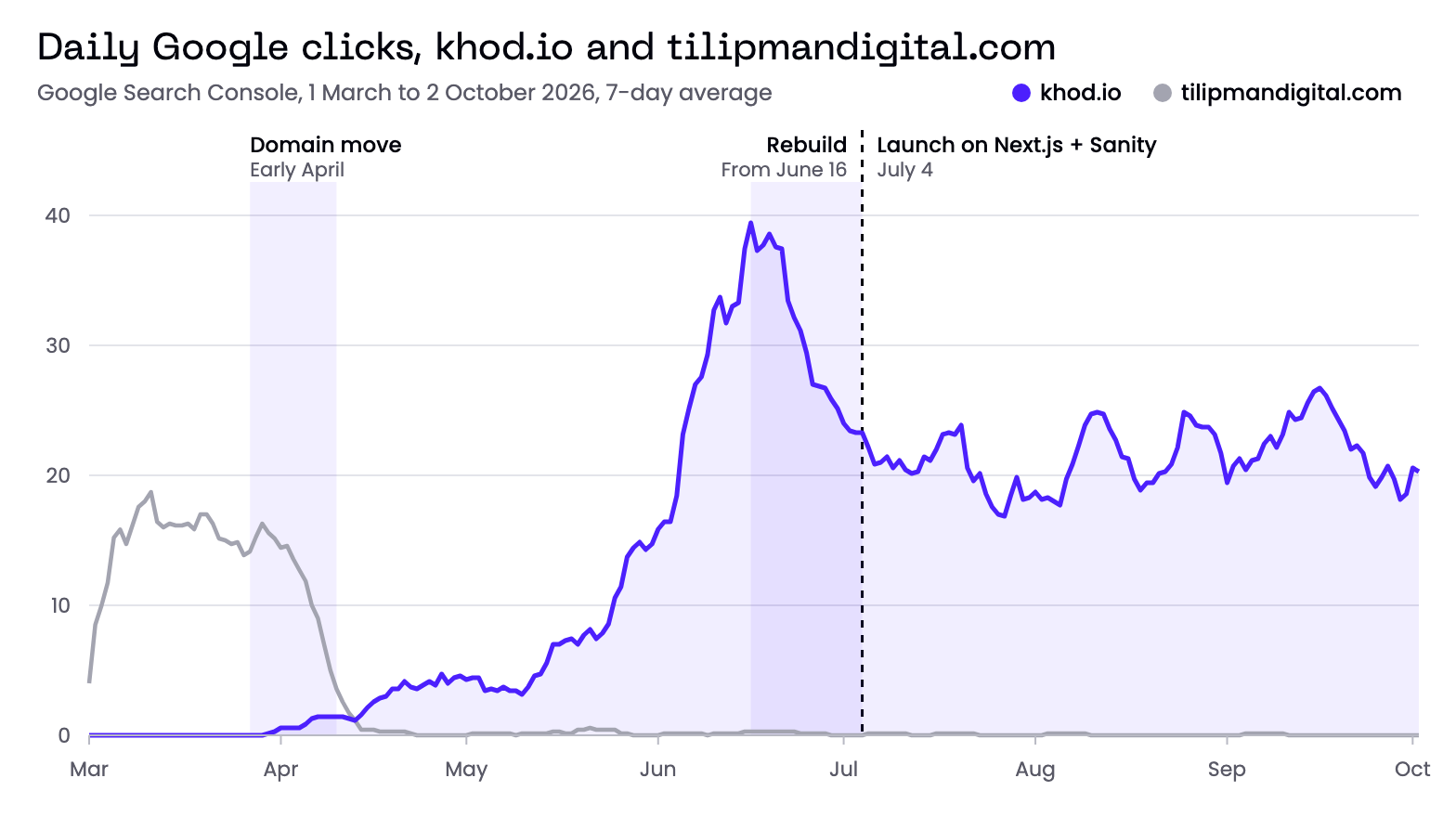
The risk grows with every change you stack into one launch. In a Search Engine Journal study of 892 domain migrations, sites took 523 days on average to match their old organic traffic, and 17% still hadn't after 1,000 days. We learned this on our own site: a rebrand, a platform rebuild and a domain move, stacked on an earlier traffic drop, left khod.io under a third of its peak.
Rehost, replatform, refactor: the cloud meaning of replatforming
Replatforming started as a cloud term. It's one of the seven migration strategies AWS defines, the "lift, tinker and shift" option between rehosting and refactoring. The same three options exist for a website:
For a marketing site, replatforming is usually the right size of change. You get the new platform now and save the redesign and the restructure for later launches, so each change can be measured on its own.
Signs your B2B website needs replatforming
These are the signals we see before a client asks us to move their site. One of them is a nudge. Two or more usually means the platform has become the bottleneck.
Marketing waits on developers to publish
If a landing page for a campaign takes a ticket, a sprint and a review, the CMS is setting your publishing speed. On khod.io, 20 new pages went live as Sanity documents in the first months after our move, built from about 50 section types without a developer touching layout code. The test: how many days does it take to ship a new landing page today, and who has to touch it?
The platform bill grows faster than the site
Hosting plans that price by traffic, seats or CMS items can turn a marketing site into a five-figure line item. Chili Piper came to us with a $65K-a-year Webflow Enterprise problem. Compare the next renewal against what the site actually needs, using the current numbers on the Webflow pricing page or your vendor's equivalent.
The content model has outgrown the CMS
B2B sites accumulate case studies, integrations, resource libraries and gated assets that reference each other. When editors copy the same customer logo into 12 places by hand, or a collection limit forces you to split content across workarounds, the content model is fighting the CMS.
Forms, attribution and integrations keep breaking
If leads arrive in the CRM without a source, or every new tool needs a custom script someone has to babysit, the platform's integration story is costing you pipeline data.
Speed is capped by the platform
Some builders ship scripts and styles you can't remove. If you've already compressed images and cut third-party tags and Largest Contentful Paint is still over 2.5 seconds on mobile, the gap may be the platform.
Your team wants AI agents to do the work
Agents need code in a Git repository and a typed content schema to do their best work. On khod.io, agents write most of the code and our team reviews it. A visual builder with a closed editor puts a ceiling on that.
When to stay on your current platform
A new platform fixes platform problems. Messaging, design and conversion problems come with you to the new stack. Before you scope a replatform, check which column your problem sits in.
Choosing the platform you move to
For a B2B marketing site, the first question is who edits the site after launch, and how often. The second is how much developer time you can count on.
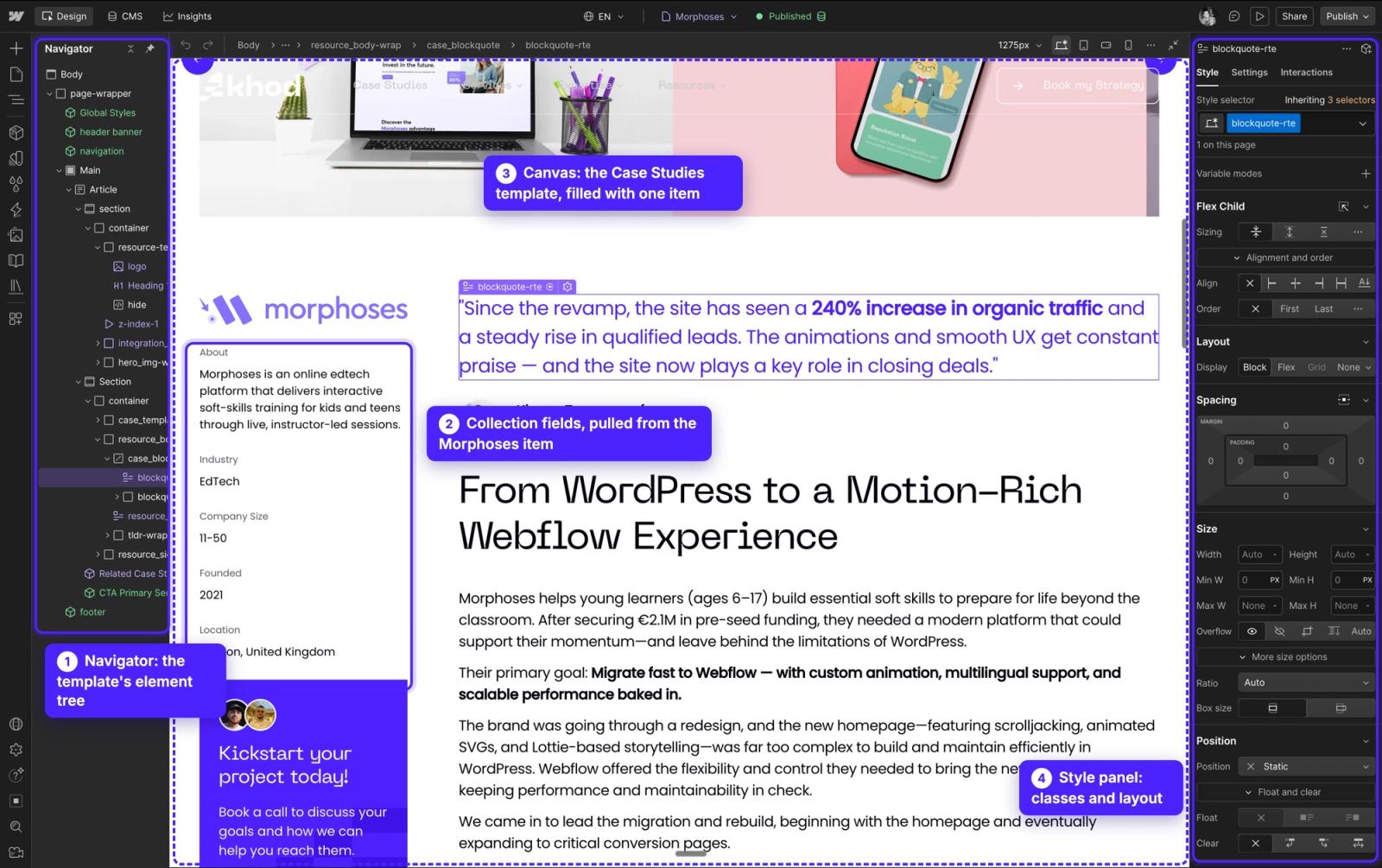
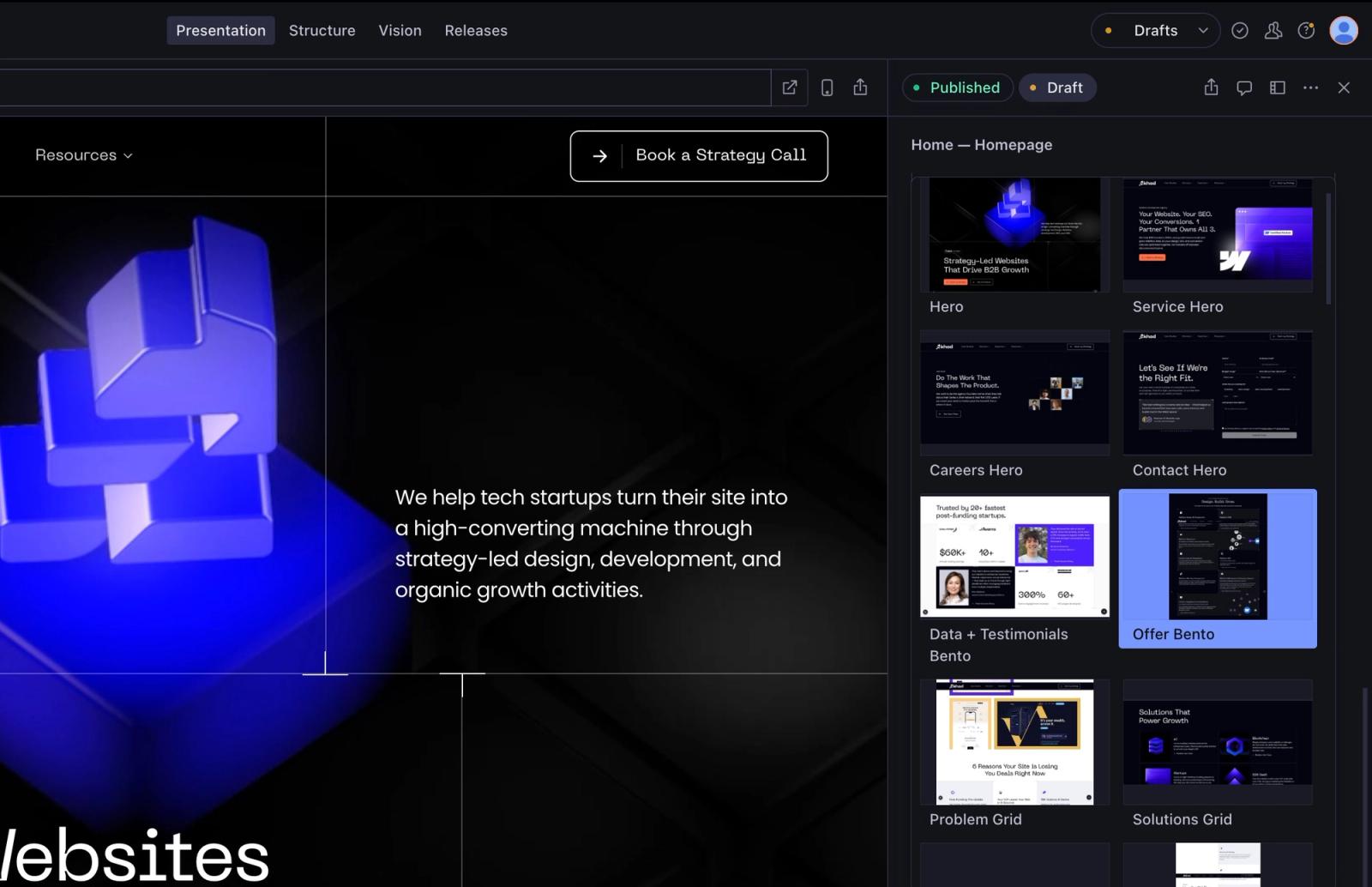
We build on Webflow and on custom stacks, so the recommendation follows the team. A marketing team with no developers and a 60-page site is often better served by a well-built Webflow site than by a headless stack. Our Webflow vs custom code and Webflow vs Sanity comparisons go deeper on the trade-off.
How a website replatform runs
These are the stages we run on every replatform. The full 50-point version, in the order a migration happens, is our website migration checklist.
- Benchmark the current site. Crawl it with Screaming Frog and export every indexed URL from Search Console with its clicks, queries and backlinks, so you know what the new site has to protect.
- Map every URL. Each old URL gets exactly one new URL. Keep the paths you can, and plan a 301 redirect for the rest to their closest match.
- Model the content. Turn pages and collections into fields and reusable sections in the new CMS, and decide which pages get merged or retired.
- Build the site and move the content. Recreate the templates, import the content, and check that page, item, file and redirect counts match the audit.
- Reconnect your marketing stack. That covers forms, CRM fields, analytics events, consent, chat and scheduling tools. Send a test lead through every form and confirm it reaches the CRM with its source.
- Test everything on staging. Run the redirects in bulk, compare titles, meta descriptions, canonicals and structured data against the benchmark, and hold a go/no-go review.
- Launch on the new platform. Switch DNS, submit the new sitemap, and keep the old platform available but unpublished until the new site has settled.
- Monitor for 30 days. Check Search Console every day. On the On-Chain Finance Institute brand split, that check caught a broken redirect in the days after launch.
A large site can also move in sections behind a proxy, with old and new pages served from one domain. It takes longer and protects revenue pages while the rest moves.
How long a website replatform takes and what it costs
Timelines depend on page count, the content model and how many integrations need rebuilding. These are our starting points, the same on every platform we build on:
Every project is quoted individually once we know the scope. Our website migration cost guide breaks down what pushes a project toward the top of the range, and the migrations hub has the platform-by-platform paths.
AI agents have changed the timeline more than the price. When agents write the templates and the content import and engineers review every page, a 118-page site can move in six days. The audit, the URL map and the QA still take the time they take.
What we learned replatforming our own site
We moved khod.io from Webflow to Next.js and Sanity because we wanted code ownership, a content model that could hold 180+ pages of articles, case studies and migration paths, and a stack AI agents could work in. The build started on June 16 and every page was live on July 4. We wrote up the reasons in Why We Moved Khod Off Webflow.
Three things we'd tell any B2B team before they start:
- The URL map is the project. Building pages is the fast part now. Deciding where every old URL goes, and proving it with a redirect test, is what protects traffic.
- Separate the moves. Our domain change and our replatform landed close together on top of an earlier drop, and when traffic fell we couldn't attribute it to one cause. Replatform first, keep the URLs, and change the domain or the design in a later launch.
- Rebuild the forms like they're revenue, because they are. Every form gets a test submission that's traced into the CRM before cutover.
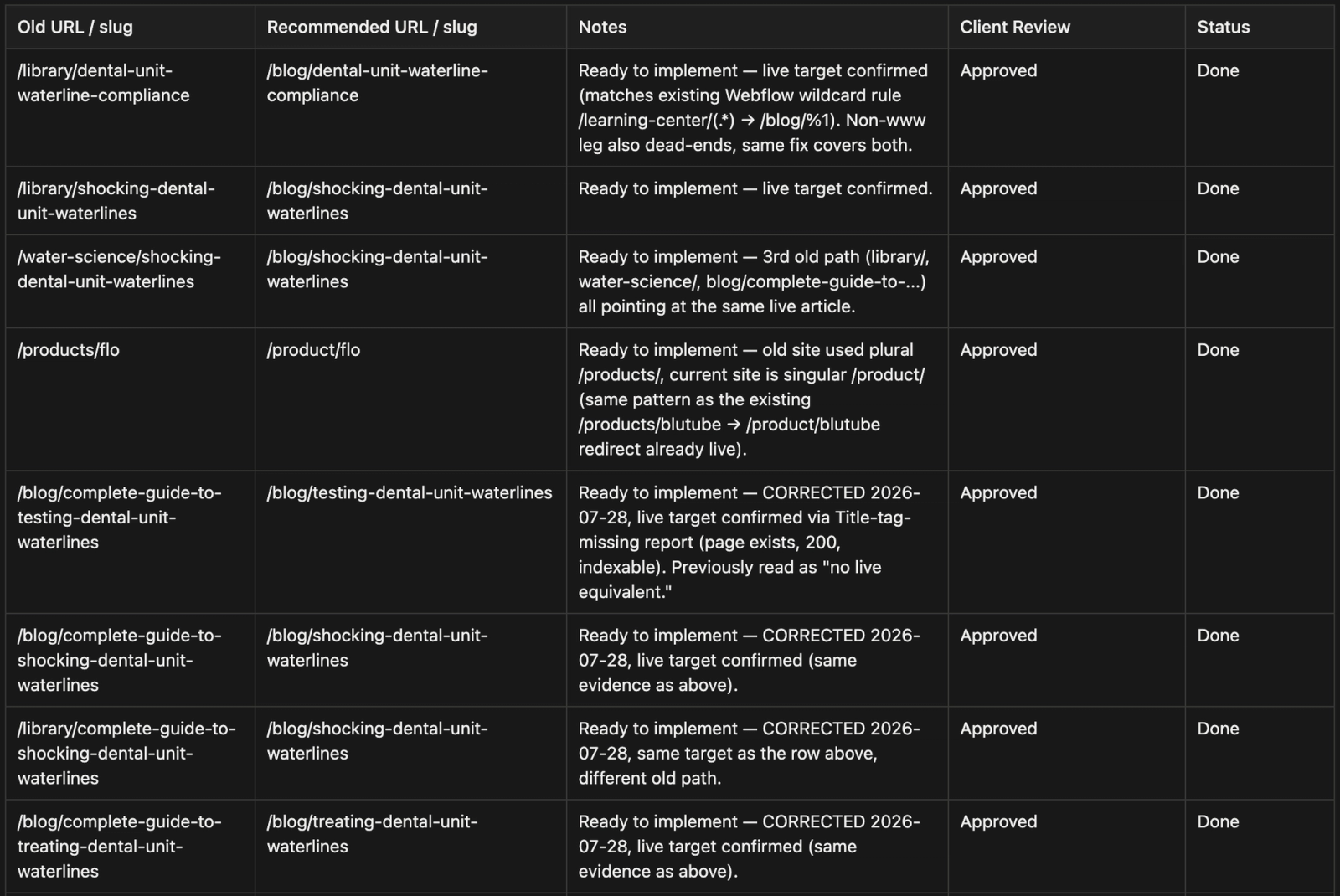
We've also cleaned up after replatforms that went wrong. ProEdge Dental came to us after another team's Webflow migration left the sitemap unsubmitted and Search Console tracking the wrong domain.
How replatforming affects SEO
Replatforming affects SEO, and more often than not the first effect is a drop. Every platform outputs different HTML, scripts and page weight, so even with the same design and URLs, Google is looking at changed pages. It recrawls them, re-evaluates them and moves rankings while it does. Google's own guidance tells site owners to expect fluctuation after a move.
You can't skip that effect, but you can keep it small and short:
- Keep every URL you can, and 301-redirect each URL that changes to its closest new match, one to one.
- Carry over titles, meta descriptions, canonicals, structured data, headings and internal links for every ranking page.
- Match the old page's copy before you improve it. Templates that drop paragraphs or headings lose the searches those words won.
- Submit the new XML sitemap on launch day and watch Search Console daily for 30 days.
The traffic losses we've traced back usually come from the same gaps: URLs that changed with no redirect, templates that dropped copy or headings, and internal links still pointing at old paths. Our redesign SEO guide covers each one with the checks we run.
Planning a replatform?
Send us the URL. We'll tell you whether the site needs a new platform or a better version of the one it's on.
FAQ
What does replatforming mean?
Replatforming means moving a system to a new platform while keeping what it does. For cloud applications, it means moving an app to a new environment with targeted changes, between rehosting and refactoring. For a website, it means moving to a new CMS or stack while keeping the design, URLs and content.
What is the difference between replatforming and website migration?
Website migration covers any change to a site's URLs, platform, domain or hosting. Replatforming is the type where the CMS or technology stack changes and the URLs and content stay put.
How long does a website replatform take?
At Khod, 2 to 6 weeks on an existing design and 6 to 10 weeks with a redesign. We moved khod.io's 180+ pages in 18 days and The Accountant Quits' 118 pages in six. Larger content models and more integrations push the timeline up.
How much does website replatforming cost?
Our replatforms start from $5,000 on an existing design and from $10,000 with a redesign. Every project gets a fixed quote after the scope call.
Will replatforming hurt our SEO?
Expect it to. Every platform outputs different code, so rankings usually dip while Google recrawls the site. Stable URLs, one-to-one redirects, carried-over metadata and daily Search Console checks for 30 days keep that dip small and short.
What's the difference between rehosting and replatforming?
Rehosting moves a site or app to new hosting unchanged. Replatforming also moves it to a new platform, like a new CMS, with changes to fit that platform.
Is ecommerce replatforming the same thing?
It's the same idea applied to a store: moving products, customers, orders and checkout to a new commerce platform. Payments, inventory and order history add work a B2B marketing site doesn't have.
Share the Article


Kickstart your project today!
Book a call to discuss your goals and how we can help you reach them.
See Khod First on Google
Uros is the brains behind the builds, turning Figma files into clean, scalable sites. He builds Webflow sites so smooth, you’ll think they coded themselves.
Outside the Webflow canvas, you’ll find him testing out new recipes, planning his next weekend escape, or deep in thought wondering why websites break at 3AM and not during office hours.
Table of Content
Kickstart your project today!
Book a call to discuss your goals and how we can help you reach them.
See Khod First on Google
Explore Related Articles
Sanity • Oct 27, 2026 • 13 min read
Webflow vs Sanity: Which One Fits Your Team?
Sanity • Oct 20, 2026 • 10 min read
Sanity Pricing in 2026: Plans, Overages and Monthly Bills
Sanity • Oct 20, 2026 • 11 min read
What Is Sanity CMS? How It Works and What It Costs in 2026Your Next Deal Starts With Your Website
Most deals are won or lost before your sales team gets involved. Let's make sure your site is ready for that moment.
