
Webflow Integrations Agency
CRM. Analytics. Automations. 1 Webflow Site That Feeds All 3.
We wire Webflow to your entire revenue stack. Leads reach sales, data stays clean, and you stop losing deals to broken handoffs.
Trusted by 20+ fastest post-funding startups.

$60K+
Annual hosting savings

10+
MQLs/day within 6 weeks

“After revamping our site and integrating it with HubSpot, we gained full visibility into lead activity and automated follow-ups. Within weeks of launch, website traffic grew by 100% and conversions jumped by 120%.”
Brandon Redlinger
Fractional CMO @Avarra AI

“After integrating Google’s suite (Search Console, Analytics, and Tag Manager), our marketing team got full visibility into user behavior and lead attribution. It helped our site rank for over 1,800 organic keywords, and delivers clearer data across every channel.”
Ariel Eiberman
CMO @Cryptoworth

300%
Demo engagement increase

60+
SEO pages developed

Leads disappear between tools
They filled out the form. Sales never saw it.
Your Webflow forms fire, but without proper routing, leads sit in a spreadsheet, a notification email, or nowhere at all — while your team chases cold outbound.

Attribution is guesswork
You know you’re getting leads. You don’t know which ones convert.
Without a clean data layer between Webflow, your CRM and your ad platforms, marketing optimises for volume and sales closes blind.

Your team runs on manual exports
Copy, paste, upload, repeat, every single week.
When your tools don’t talk, someone fills the gap. That someone is usually your most expensive hire doing your least valuable work.

Engineering is the bottleneck
Every integration request joins a ticket queue no one can see the bottom of.
Native Webflow connectors only go so far. The moment you need custom logic, data mapping or event tracking, you’re waiting on dev bandwidth you don’t have.
Integrations That Move Your Revenue
CRM Sync
Your forms fire. Your CRM never sees it.
We connect Webflow to HubSpot, Salesforce or Pipedrive with field mapping, routing rules and deal creation built in. Every lead lands in the right place the moment it converts.

Analytics & Attribution
You’re generating pipeline.
You can’t prove it.We build a clean tracking layer across GA4, GTM and Segment so every conversion ties back to its source. Marketing optimises on revenue, not traffic.

Marketing Automation
Your nurture flows only work when someone sets them up manually.
We wire Webflow to Zapier or Make so sequences and notifications trigger automatically — the right message, to the right lead, the moment they convert.

Backend
Your Webflow site needs logic your CMS can’t handle.
We connect Webflow to Xano or Airtable so you can run dashboards, user portals and custom data flows — without a dev ticket or a custom build.
Driving Growth for Ambitious Businesses, One Website at a Time
 Webflow GoHighLevel Integration
Connect Webflow forms to GoHighLevel's CRM. Compare the 3 methods: native embed, Zapier, and Make, with a step-by-step Make walkthrough.
 Microsoft Clarity Webflow Integration
Add Microsoft Clarity to your Webflow site free. Watch heatmaps and recordings to see where users get stuck—and turn traffic into leads.
 Webflow Shopify Integration
There’s no native Webflow Shopify Integration available. Buy Button, Storesynk, Make, or headless? Here's how the four Webflow Shopify integration methods compare and when to use each.
 Webflow Salesforce Integration
There is no native Webflow Salesforce integration. Here's how Web-to-Lead, no-code tools, and custom API compare — and how you can pick the right one.
 Webflow Mailchimp Integration
Webflow Mailchimp integration helps you collect leads and automate emails with ease. Connect your forms and grow your audience today!
 Webflow Google Search Console Integration
Webflow Google Search Console integration helps your site get indexed fast and appear in search results. Integrate and drive traffic today!
 Webflow Xano Integration
Learn how to connect Xano with Webflow for scalable apps. Step-by-step guide with Wized integration options to power your no-code projects.
 Webflow Airtable Integration
Use Webflow Airtable Integration to sync data, manage content, and update your site automatically without coding in 2026. Connect them today!
 Webflow Google Analytics Integration
Webflow Google Analytics Integration made simple. Learn GA4 setup, connect your Webflow site, verify tracking, and prepare conversions to measure performance.
 Webflow Zapier Integration
Discover how a Webflow Zapier integration automates website processes with no-code workflows, from connecting Webflow forms to updating CMS content and more.
 Webflow Memberstack Integration
Use Webflow Memberstack Integration to create member-only pages, user logins, and gated content without coding in 2026. Build yours today!
 Webflow HubSpot Integration
Set up Webflow HubSpot integration to capture leads, sync CRM contacts, & automate follow-ups. Connect marketing and sales today!
 Webflow Stripe Integration
Set up Webflow Stripe Integration to accept payments, sell products, or collect donations on your site without coding. Get paid today!
Certified on the tools we connect.Ranked among the agencies.
- Top Digital MarketingAgencies in Serbia
- MemberstackCertified Expert
- WhalesyncCertified Partner
- Webflow CertifiedPartner & Expert
- OptibasePartner
- AEO CopilotCertified Partner

Projects That Speak for Themselves
From AI to Web3, these brands partnered with us to transform their websites into demand generation platform.
Chili Piper: Repositioning & Solving a $65K/Year Webflow Enterprise Problem
Impact: Switching Webflow partners unlocked a solution Chili Piper didn’t know existed—avoiding a forced Enterprise upgrade and saving $65K+ per year in hosting costs.

Bland AI: A High-Speed Revamp That Drove 35% More Traffic Post-Series B
Impact: Delivered in record time ahead of their Series B announcement. Since launch, Bland AI saw a 35% increase in organic traffic from their ideal customer profiles — plus stronger on-site conversions.

Synthflow AI: Turning $20M Raise Into a Scalable Web Presence
Impact: Launched with a speedy delivery just ahead of Synthflow’s Series A announcement. The new homepage now anchors their go-to-market efforts with a product-led, conversion-focused experience.

Avarra AI: Website Revamp That Drove 10 Qualified Leads per Day
Impact: A revamped website helped Avarra AI enhance positioning and gain an average of 10 qualified inbound leads per day, turning their website into a key asset for closing deals.

How PortPro’s Marketing Team Regained Control of Their Website
Impact: Campaigns go live faster, the brand stays consistent, and developer bottlenecks are gone.

Speculo AI: From Legacy Website to High-Converting AI Demo Engine
Impact: A full website overhaul that tripled demo engagement and gave Speculo.ai the credibility, clarity, and conversion power needed to lead in the real estate AI space.

Cryptoworth: SEO & Webflow Migration That Boosted Visibility
Impact: A flawless Webflow migration that preserved traffic, eliminated 440+ SEO errors, and boosted Cryptoworth’s site health to 95%.

Morphoses: UX-First Revamp That Boosted Organic Traffic by 240%
Impact: A revamped site experience helped Morphoses grow from 500 to 1,700 monthly organic visitors — and turn the website into a key asset for closing deals.

One brand split in two — this is the half that went back to its roots
Impact: Khod moved The Accountant Quits' 110-episode site off Webflow onto a custom Astro/Sanity stack in about a week, after its education arm split off into its own brand. The client can still edit everything themselves — just not in Webflow anymore.

How Vloxq Doubled Engagement with a UX-Driven Website
Impact: A revamped website helped Vloxq simplify its messaging, improve user experience, and lay a solid SEO foundation—transforming it into a scalable, conversion-ready asset for long-term growth.

Blockpeer Finance: From Product Launch to 504% Traffic Growth
Impact: The revamp supported their v2 launch, boosting monthly traffic from 51 to 308 and giving Blockpeer a polished online presence that helped attract serious leads.

HashLedger: From Idea to a Trustworthy Web3 Brand
Impact: Starting from just a name, the site and branding helped HashLedger establish credibility in the Web3 space — closing leads and building trust with prospects.

Vis-on: Portfolio Website Revamp for Boosted Performance
Impact: Migrated Vis-on’s award-winning design from WordPress to Webflow, improving speed, simplifying management, and enabling smoother client presentations without sacrificing visual quality.

Votre: From DeFi Mechanics to a $3.75M Seed-Backed Investor Narrative
Impact: Repositioned the brand from protocol-heavy messaging to a trust-first, premium story—supporting Votre’s $3.75M seed round and market maturity.

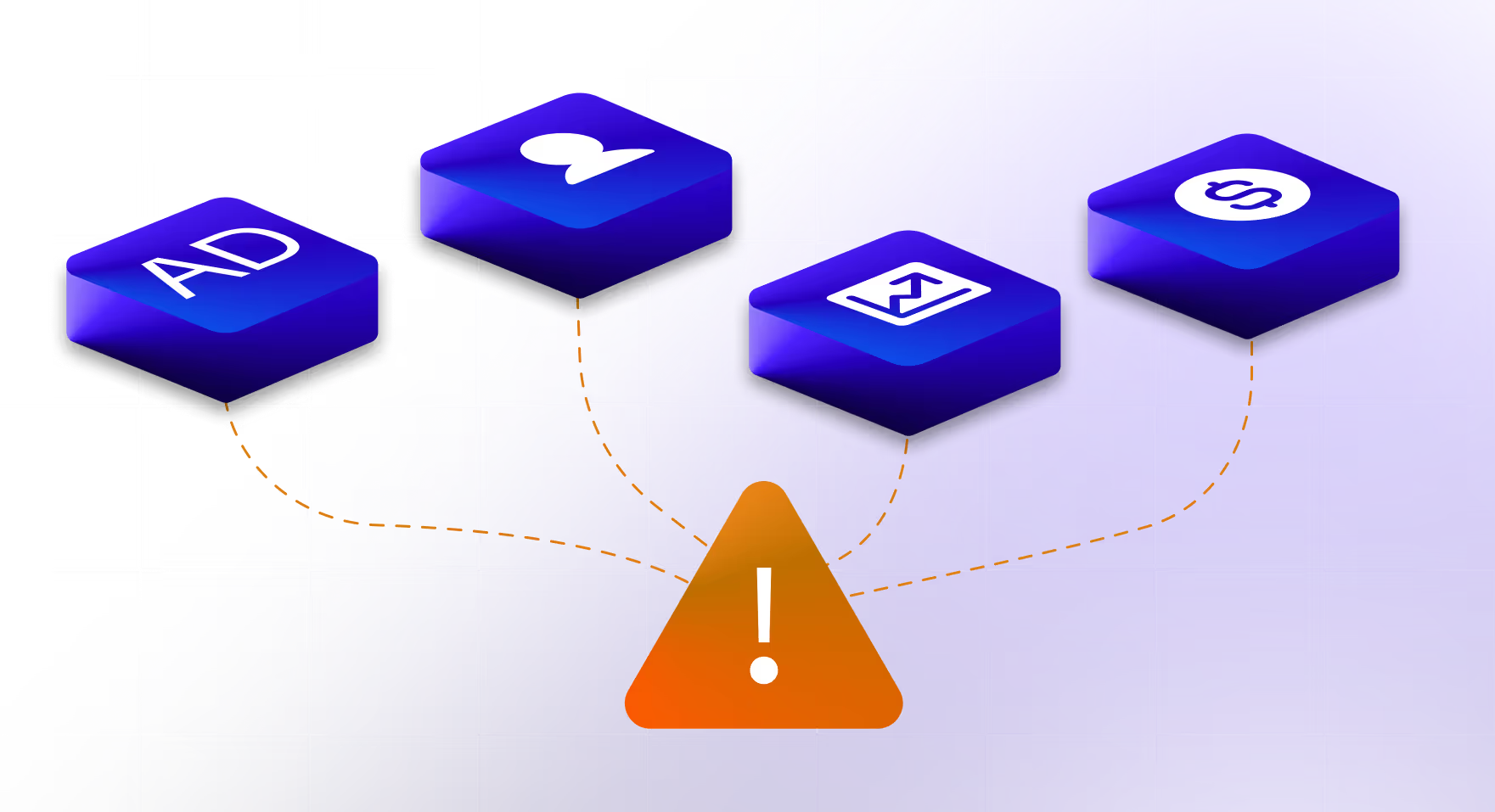
These Are The Signs Your Stack is Leaking Revenue.

Attribution is broken
You’re spending on ads. You can’t trace a single closed deal.
Your CRM, ad platforms and analytics are all telling different stories. Without a clean data layer, marketing optimises for clicks and sales closes blind.

Leads go missing
Forms submit. Sales never follows up.
Your Webflow forms fire but without proper routing, leads land in a notification email or a spreadsheet nobody checks. By the time sales sees them, the window is gone.

Someone is copying data between tools
every single week.When your stack doesn’t talk, a human fills the gap.
That’s your highest-paid people doing your lowest-value work — and it compounds every month you leave it.

Discovery
We talk about your goals, ideal outcomes, and how you want your tools to work together. This helps us plan the right setup from the start.

Integration Audit + Architecture Strategy
We review your current tools and build a simple plan for how data should flow between them without breaking anything.

Data Mapping + Implementation
We connect Webflow with CRM, analytics and any other needed tools so all your leads, forms, and tracking work smoothly in one place.

QA + Handoff
We test everything, fix what’s not working, and hand it over once your data and tracking look solid.

Monitoring
We keep an eye on your setup, make small adjustments, and ensure your data stays clean and reliable over time.
Let’s Build Your Growth Engine
Chili Piper: $60k/year saved. Bland AI: 35% organic growth. Avarra AI: 10 leads/day. Speculo AI: 300% demo engagement increase. Want to see what your numbers could look like?



Frequently Asked Questions
Do I need a developer to set up Webflow integrations?
Depends on what you’re connecting. Simple tools like Mailchimp or Google Analytics can be set up without one. Anything involving custom logic, field mapping, data routing or API connections needs someone who knows what they’re doing — otherwise you end up with data going to the wrong place, or not going anywhere at all. That’s what we handle.
How long does a Webflow integration take?
A straightforward CRM connection typically takes a few days. A full integration stack — forms, CRM, attribution, automation — usually runs two to four weeks depending on how clean your existing setup is. We scope everything before we start so there are no surprises.
How much does a Webflow integration cost?
It depends on what needs connecting and how complex the data flows are. We don’t charge hourly — we scope the work and give a fixed quote before anything starts. Most projects land between a few hundred and a few thousand depending on depth.
What happens if something breaks after you’ve set it up?
We monitor integrations post-launch and fix sync issues when they come up. You’re not handed a Loom video and left to figure it out. If data stops flowing, we know about it and sort it.
Can you integrate Webflow with tools we’ve already built internally?
Yes. If you have a custom system or internal API, we can connect Webflow to it directly. We’ve done this with platforms like Bland AI and custom-built backends. As long as there’s an API endpoint, we can work with it.
We already have a developer. Why would we use you?
Because your developer’s time is expensive and their backlog is long. Integration work is technical but also highly repeatable — we’ve done the same Webflow-to-HubSpot connection dozens of times. You get faster delivery, fewer QA cycles, and your developer stays focused on product.
What are Webflow integrations?
Webflow integrations are connections between your Webflow site and the external tools your business runs on — CRMs, analytics platforms, payment processors, automation tools, and databases. They allow data to move between systems automatically so your team isn’t doing it manually.
Can Webflow integrate with HubSpot?
Yes. Webflow connects to HubSpot through native embed, Zapier, or direct API — each with different levels of control. For most B2B setups we recommend a direct connection that maps form fields to contact properties, sets lifecycle stages on submission, and triggers deal creation automatically.
Can Webflow integrate with Salesforce?
Yes. Webflow can push lead and contact data directly to Salesforce through API or middleware like Zapier or Make. For more complex setups — custom objects, assignment rules, or multi-step flows — a direct API connection gives you far more control.
Can Webflow integrate with Zapier or Make?
Yes. Both work well as a middle layer between Webflow and other tools. Zapier is simpler to set up; Make handles more complex, multi-step logic. Which one is right depends on what you’re trying to automate.
Can Webflow integrate with Stripe?
Yes. Stripe events — payments, subscriptions, cancellations — can be pushed to your CRM and analytics tools so your revenue data is visible across your entire stack, not just inside Stripe’s dashboard.
Can Webflow integrate with Google Analytics 4 and GTM?
Yes. GTM is the recommended approach — it gives you control over what events fire and when without touching your Webflow publish settings every time. We set up a clean event tracking layer so form submissions, button clicks and conversions all flow into GA4 correctly.
Can Webflow integrate with Airtable or Xano?
Yes. Both work well as a backend layer for Webflow — useful when you need to store, query or display dynamic data that goes beyond what the native Webflow CMS can handle. Common use cases include client portals, dashboards and productised tools.
Does Webflow have a native integration marketplace?
Yes. Webflow has an official app marketplace with native integrations for tools like Zapier, Memberstack, and others. Native integrations are easier to set up but offer limited customisation. For anything requiring custom field mapping, event logic or multi-step flows, a built integration gives you more control.
What’s the difference between a Webflow app and a Webflow integration?
Webflow apps are installed directly through the Webflow marketplace and run inside the platform. Integrations are broader — they describe any connection between Webflow and an external tool, whether through a native app, a middleware platform like Zapier, or a direct API. Apps are convenient; custom integrations are more powerful.
Do Webflow integrations affect site speed or SEO?
Done badly, yes — bloated scripts and poorly loaded third-party tools can slow your site and affect Core Web Vitals. Done properly, they shouldn’t. We keep scripts light, load them asynchronously where possible, and test performance before and after every integration.