
Resource Center / Articles / Framer vs Webflow: Key Differences and Which One To Choose
Framer vs Webflow: Key Differences and Which One To Choose
 Evgenii Tilipman • Tool Comparisons • Published on Dec 30, 2024 • Updated on Aug 21, 2026 • 6 min read

TL;DR
When choosing between Framer vs Webflow, consider what your strengths are.
- Pick Framer if you're a designer shipping a small, animation-heavy site and don't need much beyond a handful of pages.
- Pick Webflow if you need real CMS flexibility, SEO/AEO controls, or a site built to scale.
- Outgrowing both? We build custom, code-based sites with agentic workflows for teams that need more than either platform offers.
Both are powerful tools, but they cater to different needs and audiences. Choosing the right platform can make all the difference in how effectively you bring your creative vision to life.
Framer is known for its seamless prototyping capabilities, making it a favorite among UI/UX designers. Webflow, on the other hand, is a powerhouse for building fully functional, responsive websites with little reliance on code.
Understanding the strengths and limitations of these platforms is particularly important. And while we might be a little biased as we are a Webflow development agency, we aim to create an objective comparison between these two so you have a better understanding of what platform to choose for your use case.
Target Audience
First, we should understand who Webflow and Framer are built for and what one can expect from each of the platforms.
Who Should Use Framer?
Framer shines as a development tool made for users familiar with design and prototyping tools. Its primary audience includes UI/UX and Web designers who prioritize creating interactive and animated mockups.
If your focus is on experimenting with design elements and crafting user experiences before moving into development, Framer is an excellent choice.
Who Should Use Webflow?
Webflow is tailored for developers, designers, marketers, and users who want to take their ideas from concept to a live, functional website without needing extensive coding skills.
It’s perfect for creating polished, responsive websites for personal portfolios, e-commerce, or even large-scale corporate sites. Webflow’s built-in CMS makes it a go-to for content-driven projects.
What Platform Should You Use?
Choose Framer if your goal is developing stunning designs and animations with ease. Opt for Webflow if you’re building a live website that needs to go beyond the design phase.
Ease of Use
Both Framer and Webflow are designed to be user-friendly, but the learning curve varies significantly.
Is Framer Hard to Use?
Framer’s drag-and-drop interface and real-time editing make it incredibly approachable, even for beginners.
Its interface, which is familiar to design tools like Figma or Adobe XD, simplifies the process of creating interactive prototypes. You can integrate it with popular design tools like Figma for a streamlined workflow. The focus is on visual creativity, with minimal technical hurdles.
Is Webflow Easy to Use?
Webflow offers a great suite of features, but its complexity may feel overwhelming for first-time users. While it provides a drag-and-drop editor, Webflow’s advanced features like interactions, animations, and CMS-based dynamic content require a bit of a learning curve.
However, for those willing to invest time in exploring Webflow, it rewards users with higher levels of control over every aspect of a website’s design and functionality.
Which Platform is Easier to Use?
Framer is good for setting up a stunning designer site, while Webflow can be that with an emphasis on giving marketers tools for growth.
Development and Prototyping Capabilities
It’s time to move on to their design and prototyping capabilities.
What are Framer's Top Features?
Framer excels in interactive and animated design. Its prototyping features allow designers to create lifelike experiences with gestures, animations, and transitions that feel like real apps.
The platform also enables real-time collaboration, which is invaluable for teams working on user experiences. However, Framer is primarily focused on the prototyping stage, so turning these designs into live websites requires external development similar to what we did to PortPro.
"Khod helped us with ongoing Framer development, and also helped us completely redo the website in new branding with several complex animations."
— Madeleine Work, Head of Marketing @PortPro

What are Webflow's Top Features?
Webflow bridges the gap between design and development. Its design capabilities are vast, allowing you to create responsive layouts, custom animations, and interactions, all without writing code.
Unlike Framer, Webflow goes beyond prototyping. The designs you create in Webflow are fully functional websites that can be published directly. Additionally, Webflow’s extensive design features are supported by a built-in CMS, making it ideal for dynamic content.
What Use Cases are the Platforms Better Suited For?
Framer is unbeatable for prototyping and animation, while Webflow is the clear winner for creating and publishing complete websites.
Content Management System (CMS) in Webflow and Framer
The gap widens when it comes to this aspect of both platforms.
Framer's CMS Capabilities
Framer’s CMS capabilities are relatively basic. While it allows for some degree of content organization, its primary focus remains on design and prototyping rather than managing dynamic content.
This makes it less suitable for projects like blogs, portfolios, or e-commerce websites that require regular updates or content-driven functionality.
Webflow's CMS Capabilities
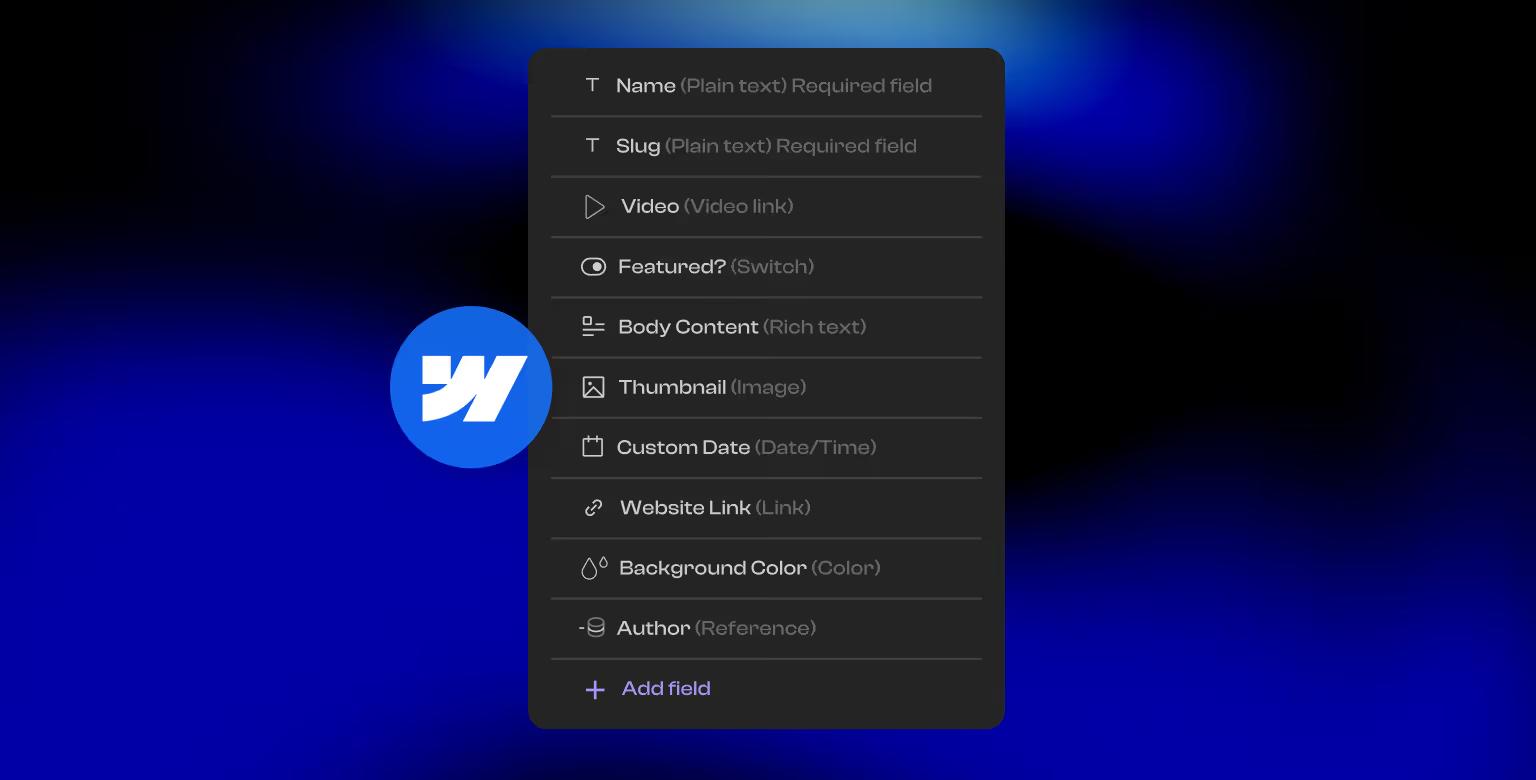
Webflow stands out for its powerful built-in CMS, designed for managing dynamic content with ease. Whether you're creating a blog, a product catalog, or a portfolio, Webflow’s CMS allows you to structure, style, and update content seamlessly.
It integrates directly with design tools, enabling you to visually customize how dynamic data is displayed. This functionality makes Webflow a strong contender for marketers and businesses managing regularly updated content. You can even style an individual CMS item through the right setup, which is worth mentioning.
Which CMS is more Powerful?
Even though Framer's CMS is becoming more powerful month over month, it's still best suited for design-centric projects. Webflow, on the other hand, offers a robust CMS ideal for content-heavy, marketing-ready websites and is a clear winner.
SEO and Performance
How good is a website that cannot rank well?
Framer's SEO Tools
Framer provides basic SEO tools, allowing users to edit meta tags, titles, and descriptions. While sufficient for simpler projects, Framer's SEO capabilities include some limitations.
For example, users cannot manually edit the robots.txt file or generate a sitemap directly through the platform unlike the experience users get in Webflow.
However, Framer does support structured data through JSON-LD, and users can set canonical tags and language attributes. These features provide some level of SEO optimization but are still less comprehensive compared to competitors.
Performance-wise, Framer sites are fast and lightweight, which is a strong point, but the lack of advanced SEO controls can limit their effectiveness for more demanding projects.
Webflow's SEO Tools
Webflow is a leader in SEO, offering full control over critical elements like meta tags, alt text, 301 redirects, canonical tags, hreflang attributes, schema markup, and more. Its clean, semantic code and integrated hosting ensure fast-loading, high-performing websites.
Additionally, Webflow automatically generates sitemaps and supports SSL, contributing to better search engine rankings and enhanced user trust. For those seeking more customization, users can also manually generate a sitemap. We have written an in-depth overview of Webflow’s SEO tools that help users rank their sites.
We ran into this ourselves on PortPro: removing a single URL from the sitemap took a manual workaround, and Webflow's page-level robots controls didn't give us the granular noindex/nofollow options we needed. It's a minor gap next to Framer's total lack of sitemap or robots.txt access, but worth knowing before you assume full control.
Which Platforms Offers Better SEO?
Framer offers basic SEO tools, while Webflow delivers an advanced suite of features designed to help users improve site visibility and performance, making it a winner in this category.
Webflow and Framer Pricing Comparison
Understandably, this is a major point for a lot of potential users.
Framer's Pricing Plans
Framer provides a free plan, which is great for exploring the platform but comes with limitations, such as Framer branding on published sites. Paid plans start at $10/month billed yearly, or $15/month billed monthly, for the Basic plan.
The pricing is attractive for individuals and small teams focused on prototyping but can be restrictive for building full-fledged websites.
Webflow's Pricing Plans
Webflow also offers a free plan with limited functionality, ideal for testing the platform. Paid plans start at $15/month billed yearly for the Basic plan, which supports a custom domain but doesn't include CMS.
Most of our clients land on the Premium plan ($25/month billed yearly, or $39/month billed monthly) — that's the tier where Webflow's CMS functionality kicks in, along with more bandwidth, code components, and site search. It's the plan most of our content-driven client sites actually run on.
For a better and more comprehensive analysis of these options, make sure to check out our article on Webflow pricing.
Side-by-side comparison of Webflow's and Framer's Pricing Plans
Framer is more budget-friendly, while Webflow’s pricing is higher but justified by its all-in-one “designer”, CMS, and hosting capabilities. Webflow's pricing is also more nuanced with a clear price tag on each feature of the platform.
Final Words
Framer and Webflow are both exceptional tools, but they cater to different needs.
Framer is perfect for users focused on prototyping and animation, while Webflow is the go-to for building fully functional, content-driven websites. Your choice ultimately depends on your project’s goals and your expertise, and while our team works in both platforms, for now, we give the "winner award" to Webflow. Learn more if Webflow is the best developer tool in our separate article!
So if you're still unsure if Webflow is the right platform for your site, we have written about how Webflow compares to various other site-building platforms. We invite you to read how the platform fares against other popular builders in our Webflow vs WordPress and Webflow vs Shopify articles.
Additionally, you can check out our Webflow alternatives guide for a broader overview of top competitors in 2026.
Frequently Asked Questions
How does Webflow compare to Framer?
Webflow and Framer both let you build websites without writing code, but in a different way. Framer is a design-and-prototyping tool, similar to Figma, but its CMS and SEO controls are not as advanced as those of Webflow. Webflow, on the other hand, feels more like a visual development environment. It includes a more robust CMS and SEO controls compared to Framer.
Are Webflow and Framer the same?
In essence, they do the same thing — build websites in a visual way — but they do it in a different way. Framer is used to build sites in a way that's more visual and familiar to designers. Webflow is a tool with a more architectural approach to a web project. It allows you to have more granular control over your website development.
Which is better, Framer or Webflow?
It depends on what you're building. You'll find that Framer is better in terms of speed when launching a design with complex animations. Webflow, on the other hand, is better for most other things — from SEO controls to AEO features to CMS flexibility, among other things.
What are the downsides of Framer?
Framer's CMS is relatively basic, making it less than ideal for content-heavy sites. The SEO tools are also quite basic, which isn't bad per se, but you can't do some things you'd expect to have control over, such as editing robots.txt, generating a custom sitemap, or removing links you want hidden from Google from the sitemap. Those limits are the usual reason teams end up moving a Framer site to Webflow.
Is Framer a good web builder?
Yes. Framer is a good tool for its target audience, designers. It's great for building pretty websites that can perform well for marketing purposes as well. That said, the larger the site, the less suited Framer is for it. Content management and advanced SEO are places where tools like WordPress and Webflow outperform it, let alone custom code.
Is Framer worth the money?
For small, design-first sites, yes, Framer is worth it. Paid plans start at $10/month billed yearly (or $15/month billed monthly) for personal use, which is budget-friendly. Whether it's worth it for larger sites depends on the project and the team building the site. It's better value for design-first work than for a content-heavy, SEO-driven website.
What's better than Framer?
For teams that need to go beyond prototyping into a fully functional, content-driven website, building a site using custom code and agentic workflows may be the best option. Webflow is another good option, with a flexible CMS, robust SEO controls, and reliable AWS hosting. If you're already on Framer, here's how a Framer to Webflow migration runs.
Share the Article
Evgenii Tilipman is the founder of Khod, a digital agency helping B2B tech companies turn their websites into demand-generating assets.
He works closely with founders and GTM teams to define positioning, structure high-converting pages, and build scalable Webflow systems that support growth.
Before founding Khod, Evgenii led Webflow development at an agency and worked with Memberstack to build products for the Webflow community. He has since supported teams from seed to Series C across positioning, conversion, and Webflow development.
Outside of work, he's a husband, dog dad, and someone who treats his health and long hikes with the same consistency he brings to his projects.
Table of Content


Kickstart your project today!
Book a call to discuss your goals and how we can help you reach them.
See Khod First on Google
Explore Related Articles
Website Strategy • Sep 10, 2026 • 15 min read
8 Best Webflow Agencies for AI Startups in 2026
Tool Comparisons • Jul 29, 2026 • 10 min read
Webflow vs Next.js: Pros, Cons, and How to Decide
Tool Comparisons • Jul 14, 2026 • 13 min read
Webflow vs Custom Code: Pros, Cons, and How to DecideYour Next Deal Starts With Your Website
Most deals are won or lost before your sales team gets involved. Let's make sure your site is ready for that moment.
