
Move Beyond Your Design Limits Without Starting Over.
Our Squarespace to Webflow migration gives you more design freedom and a more flexible CMS without leaving your content, URLs, or SEO foundations behind.

We Know What Has to Go Right When Moving off Squarespace.

+240%
Organic traffic post migration.

500%
Traffic increase post migration.

Khod tackled the challenge of complex design even with the changes in scope. All technical questions were always answered clearly, with given actionable recommendations.
Ekaterina Kapotina
Co-Founder & Ops Director @Vis-on

Khod rebuilt our site across multiple iterations and kept the process tight. They communicate proactively, and are now helping us scale around 60 SEO landing pages.
Ethan Clouser
Head of Marketing @Bland AI

300%
Demo engagement increase.

0
Traffic lost in migration.
Why site owners move off Squarespace to Webflow

Every Design Idea Hits a Squarespace Limit
The site worked when the business was smaller. Now every new page or campaign runs into a template limit or workaround.

The Site Feels Too Small for the Business
The company has grown, but the site still feels templated. More products, audiences, and brand needs start pushing past what Squarespace can comfortably handle.

Publishing Got Harder
A few pages are easy to manage. Once content volume grows, the structure gets harder to keep clean and consistent.

SEO Changes Start Hitting a Ceiling
Basic SEO is covered. More advanced control over redirects, canonicals, schema, and indexing gets harder fast.

Improving Performance is an Uphill Battle
You can optimize what you control, but you’re still working inside the underlying platform and its limits.

The Built-In Tools Stop Being Enough
Commerce, scheduling, and booking work for simple setups. As the business gets more specific, the platform starts dictating the process instead of supporting it.
Benefits of migrating to Webflow
Webflow tends to be the right move when your business has outgrown Squarespace’s design and CMS limits and you need more control over how the site looks, works, and grows.

Design Without Template Limits
Build pages and interactions around the brand instead of adapting every idea to what the Squarespace template allows.

A CMS That Grows With Your Content
Structure content around how your team actually publishes, with reusable collections and templates that stay manageable as the site gets bigger.

More Control Over SEO
Manage redirects, metadata, indexing, structured data, and other technical SEO work without constantly running into the platform ceiling.


More Control Over Performance
You have far more control over how pages are built, what loads, and how the site is optimized instead of being locked into the same underlying framework.

More Flexibility as the Business Evolves
Add new page types, campaigns, integrations, and functionality without having to work around what Squarespace was originally built to support.
What Happens When You Move From Squarespace to Webflow?
A Squarespace site can’t be imported into Webflow in one click. We rebuild the site in Webflow, then migrate and reconnect everything that needs to come with it.
| What you have in Squarespace | What happens in Webflow |
|---|---|
| Pages and layouts | Rebuilt in Webflow using a scalable design system. |
| Blog and CMS content | Migrated into Webflow CMS Collections with the content structure cleaned up where needed. |
| URLs | Preserved wherever possible. Any URLs that change are mapped with 301 redirects. |
| SEO metadata | Titles, descriptions, canonicals, indexing settings, and other important SEO data are migrated and checked. |
| Forms | Rebuilt in Webflow and reconnected to the tools your team already uses, like HubSpot or Mailchimp. |
| Integrations | Existing integrations are audited, then recreated or replaced with the right Webflow setup. |
| Analytics and tracking | GA4, GTM, pixels, and other tracking scripts are reinstalled and tested before launch. |
| Custom code | Reviewed individually and rebuilt, replaced, or removed depending on what the new site actually needs. |
| Your domain | The domain doesn’t change. We only update the DNS so it points to the new Webflow site instead of Squarespace. |
How the migration runs
Squarespace is built for getting a site up fast, not for growing past it. Once you need real SEO control, custom logic, or a CMS that does more than blog posts, the platform runs out of road. Here's what moving to Webflow looks like.

Audit
We crawl the live site and inventory every page, CMS collection, form, integration, and URL that needs to come across. That becomes the migration plan and redirect map before anything gets rebuilt.

Design (optional)
If the current design still works, we can move it largely as-is. If Squarespace’s design limits are part of why you’re leaving, our B2B web design team redesigns first so development starts against an approved system.

Build
Our Webflow development team rebuilds the site in Webflow around the structure agreed during the audit. Pages, content types, CMS collections, forms, and integrations are recreated in a setup that makes sense for how your team will manage the site going forward.

SEO and redirect QA
We recreate the SEO setup the new site needs, map any changed URLs, and test every redirect before launch. Metadata, canonicals, indexing controls, and structured data are checked rather than assumed to have carried over, to the same technical SEO standards we run for tech startups outside a migration.

Launch
The existing Squarespace site stays live while the Webflow site is being built and tested. Once everything is ready, we handle the cutover on a scheduled window and watch it in real time.

Monitor
We monitor rankings and technical SEO for 30 days after launch. If something migration-related shows up after Google recrawls the site, we catch it and address it rather than considering the project finished on launch day.
Project Highlights


On-Chain Finance Institute: Splitting the Brand Without Losing the Traffic
One web3 brand became two. 207 URLs moved with ~98% clean 301s and zero rankings lost.


Votre: From DeFi Mechanics to a $3.75M Seed-Backed Investor Narrative
Repositioned the brand from protocol-heavy messaging to a trust-first, premium story—supporting Votre’s $3.75M seed round and market maturity.


Avarra AI: Website Revamp That Drove 10 Qualified Leads per Day
A revamped website helped Avarra AI enhance positioning and gain an average of 10 qualified inbound leads per day, turning their website into a key asset for closing deals.

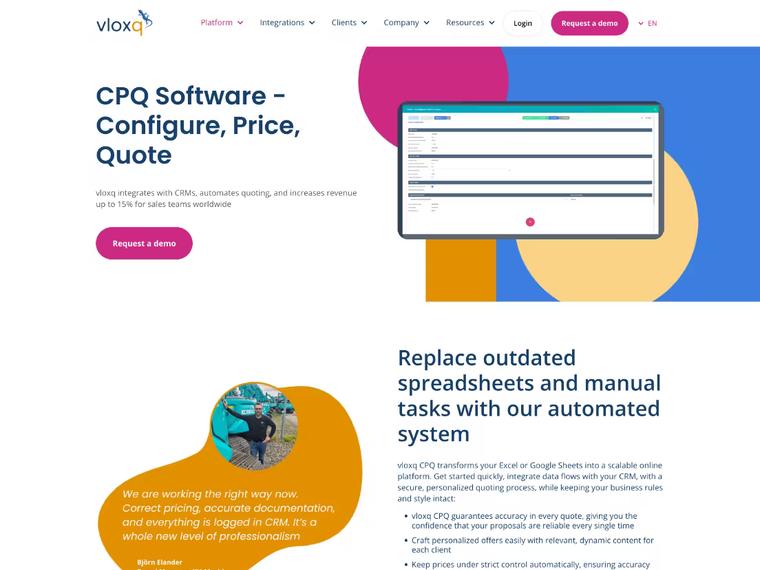
How Vloxq Doubled Engagement with a UX-Driven Website
A revamped website helped Vloxq simplify its messaging, improve user experience, and lay a solid SEO foundation—transforming it into a scalable, conversion-ready asset for long-term growth.
What Our Clients Say

"Khod tackled the challenge of complex design even with the changes in scope."

Ekaterina Kapotina
Co-Founder & Ops Director @Vis-on

"They delivered the site at record speed. Since the revamp, we’ve seen a 35% increase in organic traffic from ICPs and stronger conversions across the board."

Dimitrije Gujanicic
Growth Coordinator @Bland AI

"Working with Team Khod not only exceeded but completely shattered our expectations."

Wilma Eriksson
CEO @Vloxq

"We had nothing but a name and an idea — Khod helped us launch a brand that now wins calls , earns interest , and builds trust in the Web3 space."

Nauman N. Mustafa, cpa
Founder @HashLedger

"Khod did a fantastic job developing a website for us quickly and professionally with rapid revision cycles."

J. Paul Meyer
Founder & CEO @Votre

Commerce or bookings run the business
If Squarespace Commerce or Acuity scheduling drives your revenue, rebuilding it costs more than the move saves.

You publish a few times a year
Squarespace handles a small brochure site well. Webflow pays off when the team ships pages every week.

Nobody will edit the site
Webflow lets marketers ship pages without a developer. If nobody logs in, a template does the job.

The template still fits
If the design, CMS and SEO controls cover what you need, stay put.
Pricing and Timeline
Three things drive both numbers: how many pages and collection items exist, how much of the site has to be rebuilt rather than transferred, and whether native store or booking functionality needs replacing. A ten-page portfolio and a 400-item collection are not the same project.
Start with a migration, then keep building with us every month.
One-time projects
Ongoing
Your Squarespace site on Webflow, looking the way it does today.
Investment from $5,000
“Khod helped us grow website traffic by 500%… It now drives revenue month over month.”
Umar Mallam Hassam, CEO @The Accountant Quits
Best for
Teams happy with how the site looks but held back by Squarespace. The design stays; the platform underneath changes.
What’s included
- GROW week: URL inventory, redirect map and content architecture
- Content model: Squarespace pages and collections rebuilt as Webflow collections
- Development: your current design rebuilt in Webflow
- Migration: every page and CMS item moved across
- Redirects: every indexed URL mapped and tested before launch
- SEO: metadata and structured data on every page
- Launch: rankings and traffic monitored after go-live
Timeline
Frequently Asked Questions
Will I lose search rankings when I migrate from Squarespace to Webflow?
Rankings can dip after any migration, and the risk sits in the redirects. That's why the redirect map is built before the new site launches (step one above, not an afterthought), and every ranking page gets a tested 301 to its new home. Google's 301 redirect guidance is the standard every mapping is checked against.
Will my site have downtime during the migration?
No. DNS cutover happens on a scheduled window we watch in real time, not an overnight switch we check on the next morning.
How much does a Squarespace to Webflow migration cost?
A Squarespace to Webflow migration starts at $5,000, or $10,000 with a redesign, depending on page count, CMS complexity, and how much design work carries over. The audit scopes an exact number for your site before anything starts. Ranges for every other path are on our website migration services page. See the full cost breakdown and calculator.
How long does a Squarespace to Webflow migration take?
Most run a few weeks for a small site, longer for one with deep CMS collections or a redesign in scope. The audit gives you a real timeline for your specific site.
Can you migrate my Squarespace blog, content, and CMS collections?
Yes. Because Squarespace doesn't offer a clean export, we build the migration off the crawl-and-audit step instead — every collection gets mapped to its Webflow equivalent before the build starts.
Does Squarespace let me export my design and content cleanly, or does it have to be rebuilt?
Squarespace doesn't provide a direct, clean export of layouts or CMS content. That's exactly what the audit step exists to handle — we map what's there manually so nothing gets missed in the rebuild. Squarespace's own export documentation lists what the export actually includes, and layouts, style changes, and most collection types are not on it.
Do I have to rebuild the whole site, or can content migrate as-is?
Content parity comes first — nothing new gets added and nothing gets restructured until the new site matches the old one. Redesign work, if you want it, happens as a separate, explicit phase.
What happens to my Squarespace ecommerce, scheduling, or booking tools?
It depends on what you're running and how deep it goes — this is a real conversation, not a blanket yes. Tell us what you're using in the audit call and we'll give you a straight answer on what carries over natively and what needs a new integration.
What happens to my existing integrations or custom code?
Each one gets audited individually during the crawl. Some functionality is native to Webflow already; anything else gets mapped to an equivalent or a new integration before launch.
Can I redesign at the same time as migrating?
Yes, and plenty of clients do. We finish the design before development starts either way, so we're not rebuilding twice.
Can I keep my current domain, and what happens to my Squarespace subscription?
Yes. You keep the same domain. We update its DNS records so it points to the new Webflow site, while preserving any email-related DNS records. Once the new site is live and verified, we'll let you know when it's safe to cancel the Squarespace website subscription.
What ongoing support or monitoring do I get after launch?
30 days of ranking monitoring, plus a fix window if anything technical breaks in that time. Rankings and index coverage are tracked in Google Search Console for the whole window. The same window applies to our WordPress to Webflow, Wix to Webflow and Framer to Webflow migrations.
Do I need to hire an expert, or can I DIY this?
Depends on site size and CMS complexity. A small brochure site is a reasonable DIY project. Anything with real content volume or custom integrations gets risky fast without redirect and SEO experience.
Why is Webflow actually better than Squarespace for a growing site?
For teams that have outgrown a template — deeper CMS needs, more technical SEO control, visual editing without the template ceiling — usually yes. That's the whole reason this page exists.
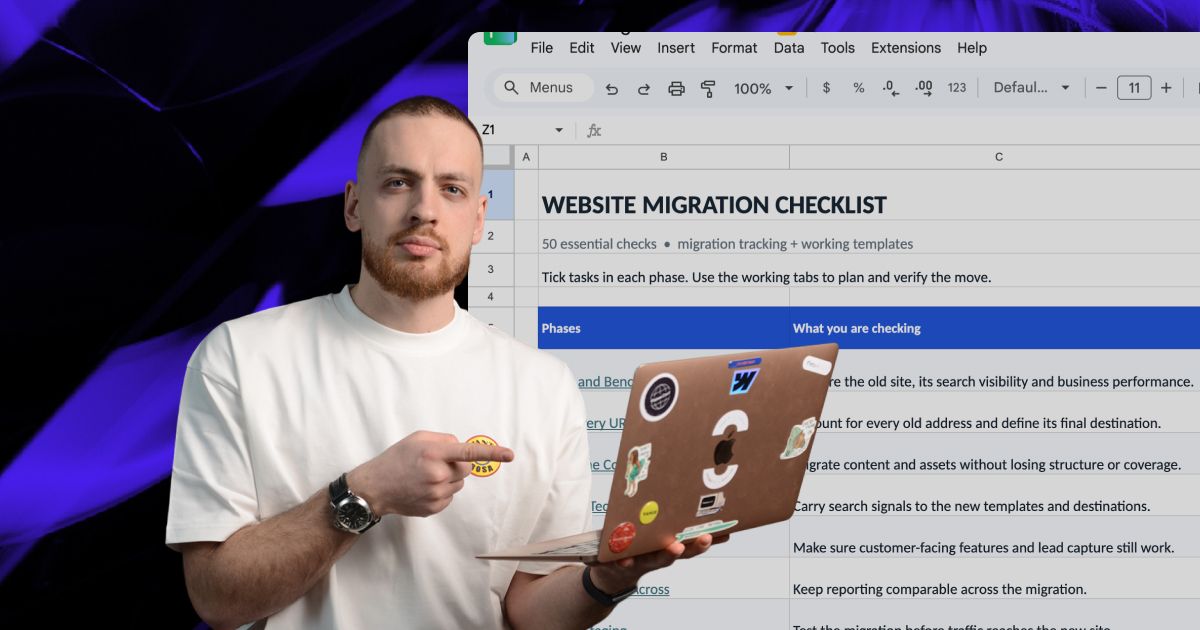
Actionable Playbooks for Migrating off Squarespace


Ready to Move Beyond Squarespace?
We’ll handle the migration from audit through launch, with your content, SEO, integrations, and existing functionality accounted for along the way.