
Resource Center / Articles / What is Webflow? A 2026 Guide for B2B Marketing & Product Teams
What is Webflow? A 2026 Guide for B2B Marketing & Product Teams
 Evgenii Tilipman • Webflow Platform • Published on Nov 24, 2024 • Updated on May 13, 2026 • 12 min read

TL;DR
Webflow recently repositioned to a Website Experience Platform (WXP)."
Here's what such a platform includes in 2026:
- Visual Designer: visual development outputting semantic HTML, CSS, and JavaScript
- Webflow AI: assists with site/page scaffolding, content generation, metadata, and workflow automation.
- Next-gen CMS: rebuilt in 2025 with headless delivery, per-item publishing, and draft modes
- Webflow Analyze + Optimize: native, cookieless analytics and A/B testing directly in the platform
- Native Localization: multilingual sites without third-party tools
- Managed Cloudflare hosting: automatic SSL, image optimization, 99.99% uptime SLA
- Pricing: flexible pricing depending on the add-ons and tools your site requires
Khod helps funded startups get the most out of Webflow sites, by bridging the gap between strategy, design, development, SEO, & CRO.
Our team-members have been building on Webflow since 2019. We've shipped 20+ sites for funded B2B startups, including some enterprise-grade websites such as Chili Piper, Bland AI, Synthflow AI, among others. This guide covers everything we learned about Webflow throughout the years, adjusted for the current state in 2026.
How Do Designers, Developers, and Marketers Use Webflow?
The value comes from how Webflow divides the work across designers, developers, and marketers. Each role can ship without waiting on the others.
Designers build pages and components in the Designer, including interactive UI. AI-generated JavaScript and custom code embeds cover whatever the visual canvas can't reach. The designer-developer-designer ping-pong that used to slow projects down — design a screen, hand it to dev, request a tweak, hand it back happens inside one tool now, owned by either the designer or the developer.
Developers enforce semantics and code cleanliness, define CMS schemas, and write custom code for functionality the Designer can't ship on its own. The role shifts from unblocking every small request to making sure the build holds up at scale.
Marketers edit content through the CMS, spin up landing pages for PPC campaigns using pre-built components, and publish content such as blog posts.
Of course, the above is the ideal scenario. This division of labor in fact depends on how teams structure their human resources and workflows. The above mentioned workflow is what we’ve been using internally, tried and tested.
Who is Webflow for?
The teams that get the most out of it
Webflow fits best for B2B and SaaS marketing sites, content-heavy resource centers and blogs, multilingual sites, and design-led brand sites.
Marketers publish without filing tickets. Designers ship without handoffs. Founders launch credible sites fast. Enterprise teams get governance and role-based permissions.
Where Webflow isn't the right answer
Webflow isn't the right pick for the following types of websites:
- Heavy enterprise ecommerce (Shopify handles high SKU counts and complex fulfillment better)
- Sites that depend on a specific WordPress plugin or need self-hosting
- Multilingual ecommerce (Localization and Webflow Ecommerce don't yet work together)
- SaaS products with deep custom backends (webflow can integrate, but other tools may still be better off).
Lastly, we see Webflow as a tool that’s not for teams that want a template-driven builder, even though there is a template marketplace. The platform rewards design control.
Where does Webflow fit in the site builder market?
Webflow currently powers around 1.2% of websites globally, roughly 1 in 100 sites. The majority of websites are still built on WordPress.
You can make your own conclusions, but we're looking at the platform in a relative sense — and we see the future in it. Webflow is young. It's evolving fast and moves in tandem with the latest in design, AI, and hosting.
The adoption among enterprises and B2B brands is what makes us optimistic about the tool.
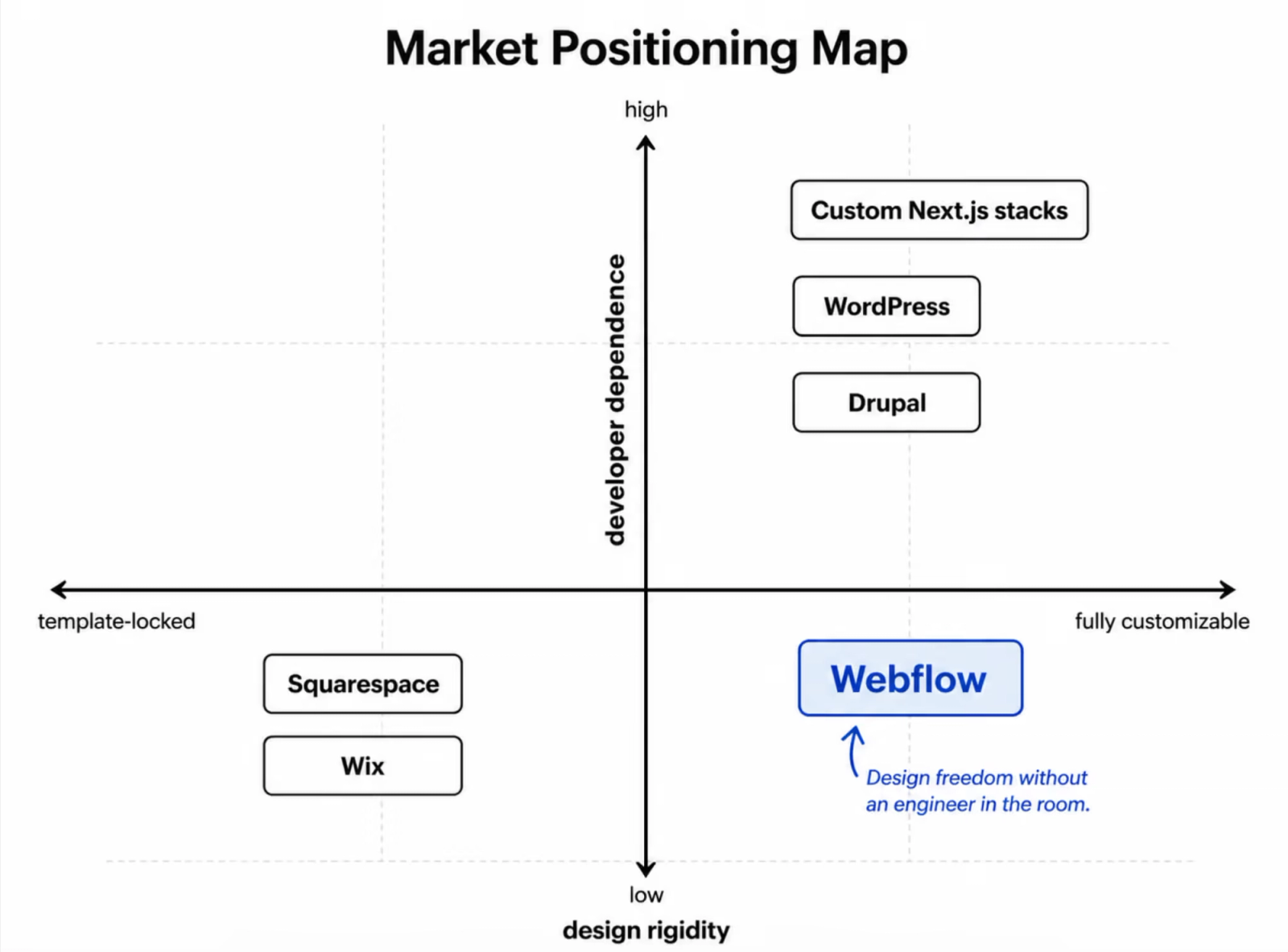
Squarespace and Wix lock you into a template. WordPress hands you total flexibility, along with the plugin maintenance, hosting decisions, and developer dependency that come with it. Webflow sits between those two, built for teams that want design freedom and a site they can run without an engineer in the room.
How does Webflow compare to other website builders?
A short decision matrix. Each row links to the deeper comparison.
For a wider survey, see Webflow alternatives.
How Does Webflow Work?
The Designer
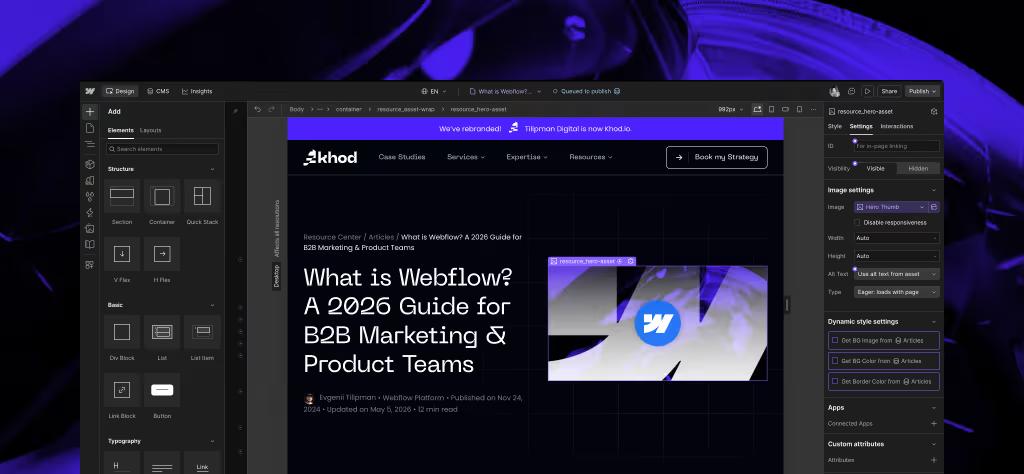
The Designer is Webflow's canvas — HTML, CSS, Flexbox, Grid, breakpoints, components, and interactions exposed visually. If you've used Figma, the surface area feels familiar — except you're building the live site, not a mockup.
Custom code embeds cover whatever the visual canvas can't. Visual-first, not code-free only. More on the developer angle in Is Webflow the best developer tool?
The CMS
The CMS works through Collections, content types you define yourself. A blog Collection has fields for title, body, author, hero image, tags, and anything else you may define. Each item publishes to a template that’s designed and developed once.
The 2025 next-gen CMS added what the old version lacked:
- Per-item publishing (no more deploying the whole site for a single blog post)
- Drafts
- Scheduled publishing
- Headless delivery,
- Higher item limits
Full walkthrough in our introduction to Webflow CMS.
Hosting
Managed hosting is powered by AWS infrastructure and Cloudflare’s global CDN, with enterprise-grade performance and a 99.99% uptime SLA on Enterprise.
The previous version of this article used older AWS/Fastly framing for Webflow's hosting. That framing is out of date. Current buyers should expect Cloudflare-backed managed hosting. For the security side, see Is Webflow secure?
The editing experience
Webflow's role-based permissions let editors fix typos, swap hero images, and publish blog posts without touching layout.
The legacy on-page Editor (accessed via ?edit in the URL) is being deprecated on August 4, 2026. Content updates now happen in the new in-app editing experience.
What's new in Webflow in 2026?
The platform has shifted meaningfully in the last year and a half. Articles ranking on this query that don't mention these updates are functionally obsolete.
For the localization rollout, see Webflow Localization. For the AI and Cloud layer, Webflow MCP explained.

Is Webflow good for SEO and performance?
There are a lot of misconceptions about one platform being better for SEO than another. It's not 2010 anymore. Most modern builders ship with the basic SEO controls, meta tags, canonicals, redirects, sitemap, alt text, needed to rank a site.
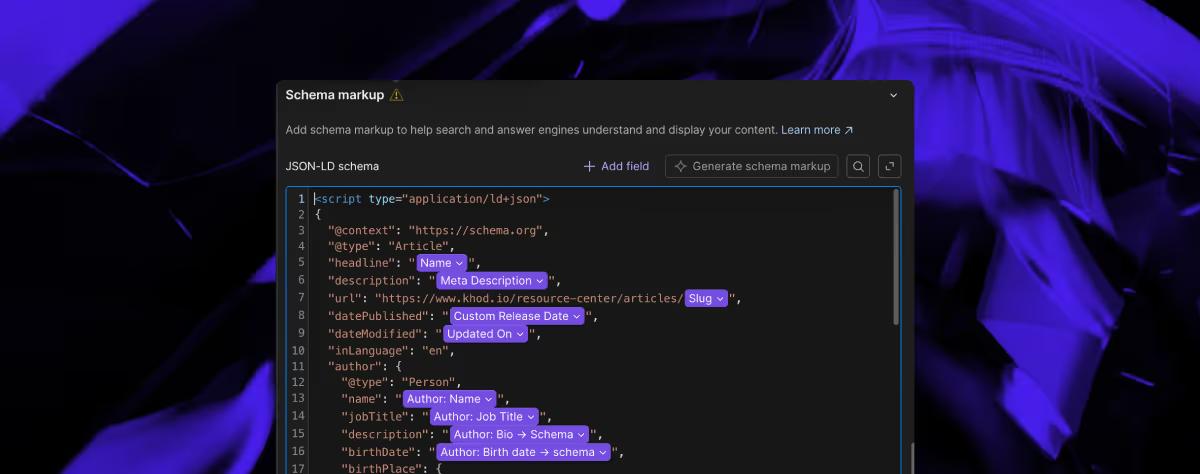
That said, Webflow has gone all in on shipping features that make a marketer's life simpler. AI-generated schema markup, AI metadata auditing, and AEO checks are now built into the editing surface. Performance still depends on how the site is built technically though.
For the full take, see debunking Webflow SEO misconceptions or our best CMS for SEO roundup.
How much does Webflow cost in 2026?
Pricing splits into Site plans (per-website) and Workspace plans (per-team), plus add-ons — Localization, Analyze, Optimize, and Webflow Cloud.
A rough snapshot of the main tiers (annual billing, prices subject to change):
For the full breakdown, including add-on pricing, how each tier scales, and how to pick the right plan, see Webflow pricing explained.
What integrations does Webflow support?
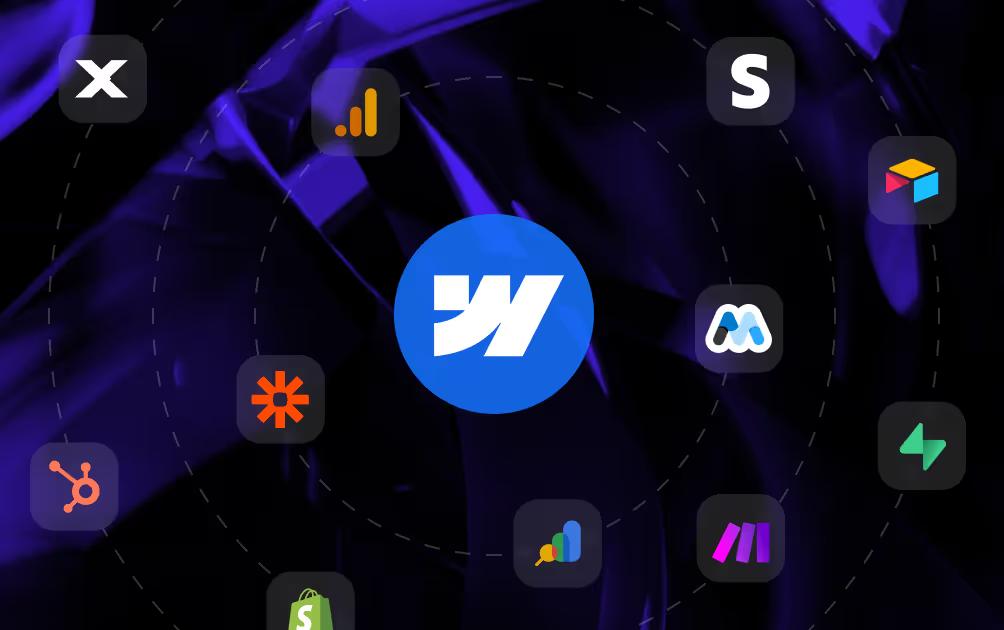
Webflow connects to the rest of the marketing stack natively or through third party tools such as Make, and Zapier. No matter if you’re looking to add a custom backend on top of your blogs, run simple automations, integrate your CRM, or hide your content behind a paywall, you can do it with Webflow.
We started listing some of those integrations with setup guides in our Webflow integrations library.
Can I Build a Webflow Site With a Template?
Yes. Webflow's template library covers SaaS, agency, ecommerce, blog, and portfolio starting points, free and paid.
Should I use a template?
Templates work for pre-funding startups validating positioning or shipping a launch in a week.
They hit a ceiling once a site needs custom CMS architecture, componentization, custom code, serious branding, or positioning that speaks to the buyer.
For the workflow itself, see our guide to using Webflow templates.
When Should I Hire a Webflow Agency?
Consider hiring an agency when the site has to do more than a template allows. For example:
- The site is supporting a funding announcement, sales expansion, or rebrand on a hard timeline
- Marketing needs to ship landing pages and content without engineering involvement
- In-house design or development capacity is limited or fully booked
- You want a strategic partner who flags problems before they become crises, not a vendor who executes to a brief and disappears
Khod Is Your Webflow Partner
A marketing website only works when the execution matches the strategy.
Khod builds Webflow sites for funded B2B startups by connecting positioning, buyer journey, CMS architecture, SEO, and CRO before development starts. Our GROW framework keeps the build focused on both what the site needs to achieve and how it should look.
Unsure where to start? Book a free strategy call today!
Frequently Asked Questions
Is Webflow really no-code?
Yes. You can build and publish a full website in Webflow without writing code.
That said, many mature teams use Webflow as a low-code platform too. Custom code, often AI-generated, can speed up development, add functionality, and then be tested inside the visual Designer.
Is Webflow good for SEO?
Yes. Webflow gives you all the on-page SEO controls a serious site needs. Where SEO struggles on a Webflow site, the cause is usually content or build quality, not the platform.
Can marketers edit a Webflow site without involving developers?
Yes, that's the core of the value proposition. Role-based permissions let editors change content without touching layout. That said, the legacy ?edit Editor sunsets August 4, 2026, replaced by the in-app editing experience.
How much does Webflow cost in 2026?
Site plans range from a low-traffic personal-site tier through Business and Ecommerce tiers for higher-volume marketing sites. Workspace plans (the team account) scale from Starter to Enterprise. Add-ons like Localization, Analyze, and Optimize sit on top. See Webflow pricing explained for current numbers.
Can Webflow build apps, or just websites?
Both, now. Classic Webflow remains the strongest visual platform for marketing and content-heavy sites. Webflow Cloud, introduced in 2025, lets teams host full-stack Next.js or Astro apps on Webflow's infrastructure alongside the marketing site.
Is Webflow hard to learn?
Difficulty is relative. Webflow is harder than Wix or Squarespace because it is not purely template-based out of the box.
But compared to most WordPress builders, Shopify theme development, or custom-coded sites, Webflow is easier to work with based on the marketing teams we've worked with.
To build confidently in Webflow, you’ll want to understand the basics: HTML structure, CSS classes, Flexbox, Grid, and responsive breakpoints.
Is Webflow better than WordPress?
It depends on what you’re prioritizing. Our priorities are in line with Webflow.
It is usually better for teams that want stronger design control, managed hosting, fewer plugin dependencies, and actual support.
On the other hand, WordPress is better if you want lower platform costs, self-hosting, a larger plugin ecosystem, or highly custom editorial/backend workflows.
Is Webflow good for startups?
Yes, but it depends on the startup’s needs.
Webflow is a strong fit for startups that want good design control, fast marketing execution, and a site the team can update without constant engineering support.
Compared to WordPress, it is usually easier to manage and less dependent on plugins, while still giving more control than simpler template-based builders.
Can Webflow replace a developer?
Not fully. Webflow reduces developer dependency for marketing and content work, but developers are still valuable for CMS architecture, custom code, integrations, performance, tracking, and anything that goes beyond the visual canvas.
What are the main limitations of Webflow?
The biggest limitations are the learning curve, pricing complexity, limited ecommerce depth compared to Shopify, and the fact that advanced functionality may still require custom code or third-party tools. Webflow is flexible, but it is not a replacement for every CMS, ecommerce platform, or SaaS application stack.
Is Webflow good for enterprise websites?
Yes, when the website is primarily a marketing, content, or brand experience site. Enterprise teams benefit from reusable components, permissions, managed hosting, localization, and governance — but very complex backend systems may still need to stay outside Webflow.
Does Webflow work for multilingual websites?
Yes. Webflow now has native Localization for multilingual websites, which makes it easier to manage translated versions of marketing pages and CMS content. The main caveat is that Webflow Localization is still not the right fit for every ecommerce use case.
What is the difference between Webflow Designer and Webflow CMS?
The Designer is where the site structure, layout, styling, interactions, and components are built. The CMS is where structured content lives, such as blog posts, case studies, authors, categories, product pages, or resource center items.
Share the Article
Evgenii Tilipman is the founder of Khod, a digital agency helping B2B tech companies turn their websites into demand-generating assets.
He works closely with founders and GTM teams to define positioning, structure high-converting pages, and build scalable Webflow systems that support growth.
Before founding Khod, Evgenii led Webflow development at an agency and worked with Memberstack to build products for the Webflow community. He has since supported teams from seed to Series C across positioning, conversion, and Webflow development.
Outside of work, he's a husband, dog dad, and someone who treats his health and long hikes with the same consistency he brings to his projects.
Table of Content


Kickstart your project today!
Book a call to discuss your goals and how we can help you reach them.
See Khod First on Google
Explore Related Articles
Website Strategy • Sep 10, 2026 • 15 min read
8 Best Webflow Agencies for AI Startups in 2026
Tool Comparisons • Jul 29, 2026 • 10 min read
Webflow vs Next.js: Pros, Cons, and How to Decide
Tool Comparisons • Jul 14, 2026 • 13 min read
Webflow vs Custom Code: Pros, Cons, and How to DecideYour Next Deal Starts With Your Website
Most deals are won or lost before your sales team gets involved. Let's make sure your site is ready for that moment.
