
Resource Center / Articles / Types of Websites: 7 Examples and How to Choose
Types of Websites: 7 Examples and How to Choose
 Vuk Lazarevic • Design & Inspiration • Published on Nov 8, 2024 • Updated on Jun 9, 2026 • 10 min read

TL;DR
There are over 1.5 billion websites online. Most of them can be grouped by the purpose they help visitors achieve: learn, buy, compare, join, trust, or take action.
The seven common types of websites are:
- Business websites explain a company and help turn visitors into leads.
- E-commerce websites help people browse, compare, and buy products online.
- Informational websites educate visitors through articles, guides, resources, or documentation.
- Personal websites give individuals a home base for their work, writing, projects, and interests.
- Membership websites give registered users access to private content, tools, courses, or communities.
- Portfolio websites showcase work and help build trust with clients, employers, or collaborators.
- Forum websites create a space for people to ask questions, share knowledge, and discuss topics.
Start with the job the website needs to do. The website type follows from there.
Below are seven common types of websites, what each one is used for, and examples to help you choose the right format.
Business Websites
A business website explains what a company does, who it helps, and why someone should trust it.
For many companies, this is the main website.
It may include a homepage, service pages, product pages, case studies, pricing, about page, contact page, and resources. The exact structure depends on the business model.
The goal is usually simple:
Help the right visitor understand the business and take the next step.
That next step could be:
- Booking a demo
- Requesting a quote
- Contacting sales
- Signing up for a free trial
- Downloading a resource
- Visiting a product or service page
A strong business website needs clear positioning. Visitors should not have to work hard to understand what the company does.
It also needs proof.
That proof can come from testimonials, case studies, client logos, numbers, certifications, reviews, or strong examples of past work.
Common features of business websites
- Homepage
- About page
- Product or service pages
- Case studies
- Testimonials
- Contact form
- Calls to action
- Pricing page, when relevant
- Blog or resource center, when relevant
Example: Headspace
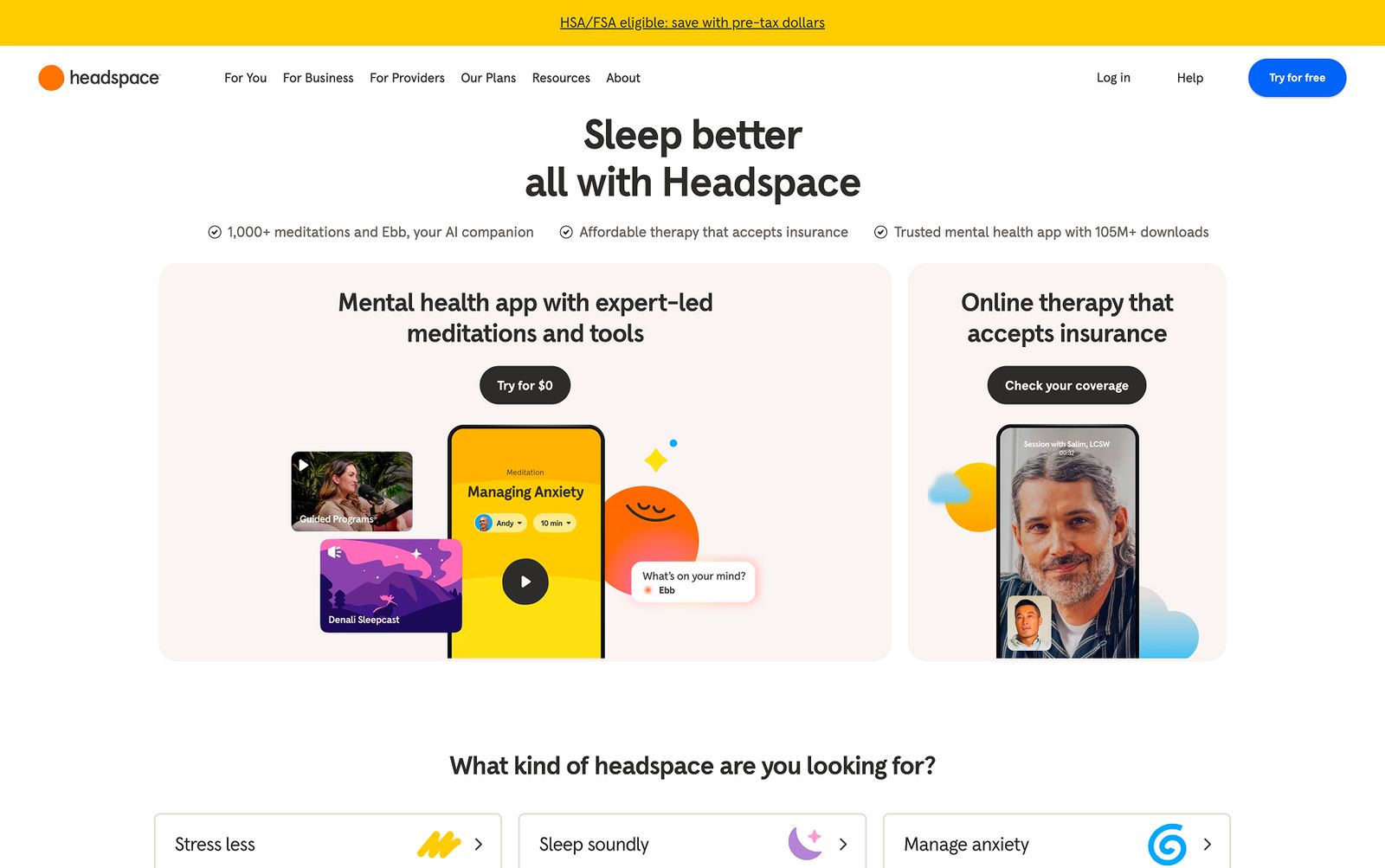
Headspace is a good example of a business website that makes a broad offer easy to understand.
Mental health, meditation, mindfulness, and sleep can become abstract topics quickly. Headspace keeps the website clear, calm, and easy to navigate.
The site explains what the product does, who it helps, and how visitors can get started.
That is the job of a business website.
It should make the company easier to understand, not harder.
Want to see more examples? Explore our roundup of best B2B website examples.
E-commerce Websites
An e-commerce website helps people buy products online.
That can include physical products, digital products, subscriptions, templates, courses, or software.
The main goal is to move someone from interest to purchase with as little friction as possible.
That means the website needs to help visitors:
- Find the right product
- Understand the product
- Compare options
- Trust the seller
- Add items to cart
- Complete checkout
E-commerce websites need strong product pages, clear product categories, useful filtering, secure payment options, and a checkout flow that does not create unnecessary friction.
For larger stores, navigation becomes even more important. If users cannot find what they need, they leave. To see examples of larger navigation done right, explore our mega menu examples roundup.
Common features of e-commerce websites
- Product listing pages
- Product detail pages
- Product filters
- Search
- Cart
- Checkout
- Payment processing
- Customer reviews
- Shipping and return information
- Order confirmation pages
Example: Ledger
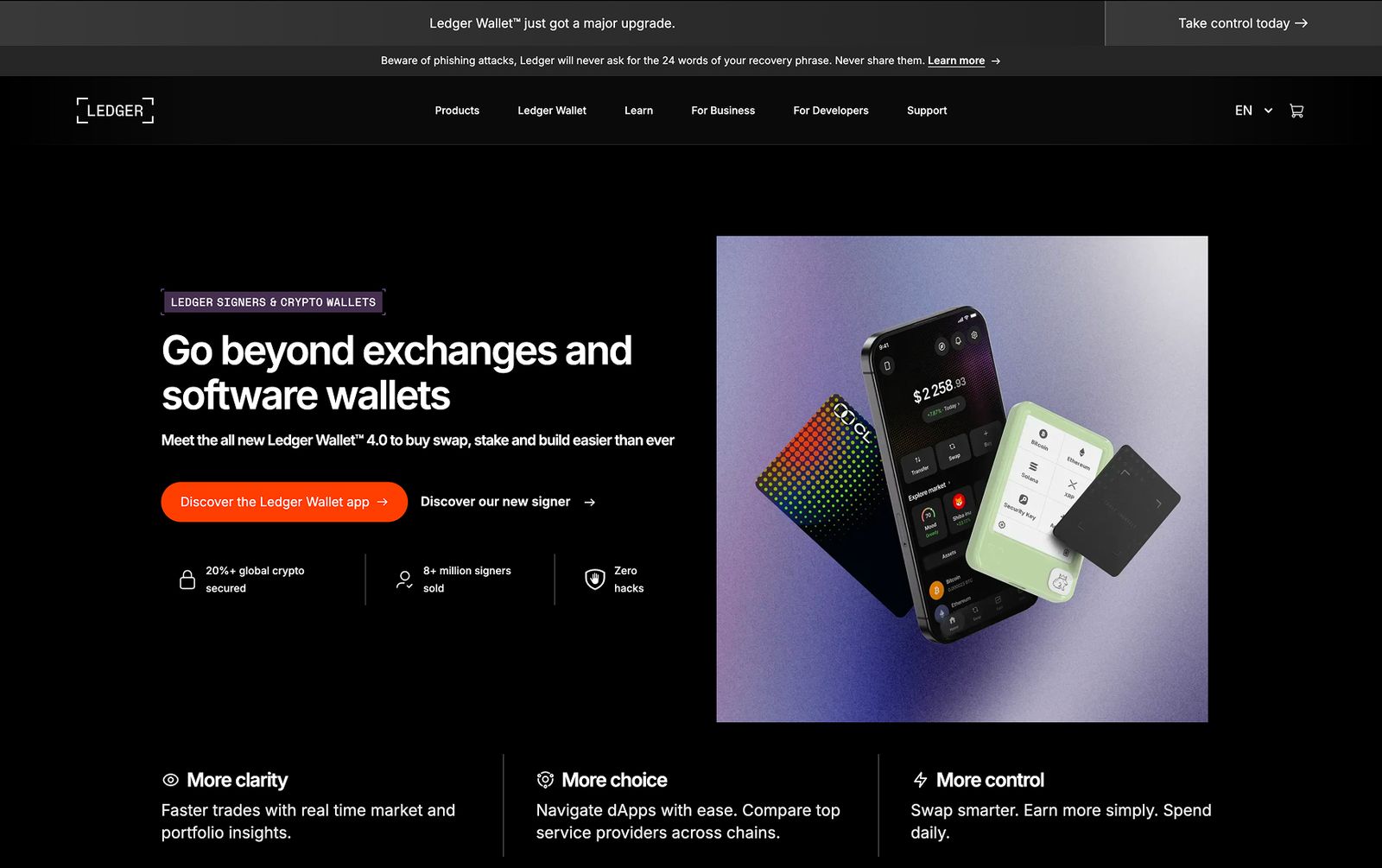
Ledger is a strong e-commerce example because the product category requires trust.
The company sells hardware wallets for digital assets. That means the website has to explain the product, communicate security, reduce uncertainty, and help users choose the right wallet.
Ledger uses clear product pages, comparison sections, product visuals, and trust-focused messaging.
The site does what an e-commerce website should do:
It helps people understand the product and buy with confidence.
3. Informational Websites
Informational websites are built to educate.
They help users learn about a topic, understand a process, compare options, or find answers.
This category includes:
- Blogs
- Resource centers
- Media websites
- Knowledge bases
- Documentation hubs
- Educational websites
- News websites
The goal is to build trust, attract organic traffic, support existing users, or help people make better decisions.
For B2B companies, informational websites often support the buying journey. A visitor may read an article, compare options, check examples, and return later when they are ready to speak with the company.
This is why informational content should not be treated as filler.
Good informational content helps people make progress.
Common features of informational websites
- Articles
- Guides
- Categories
- Search
- Author pages
- Related content
- Internal links
- Resource pages
- Newsletter sign-up, when relevant
Example: TechCrunch
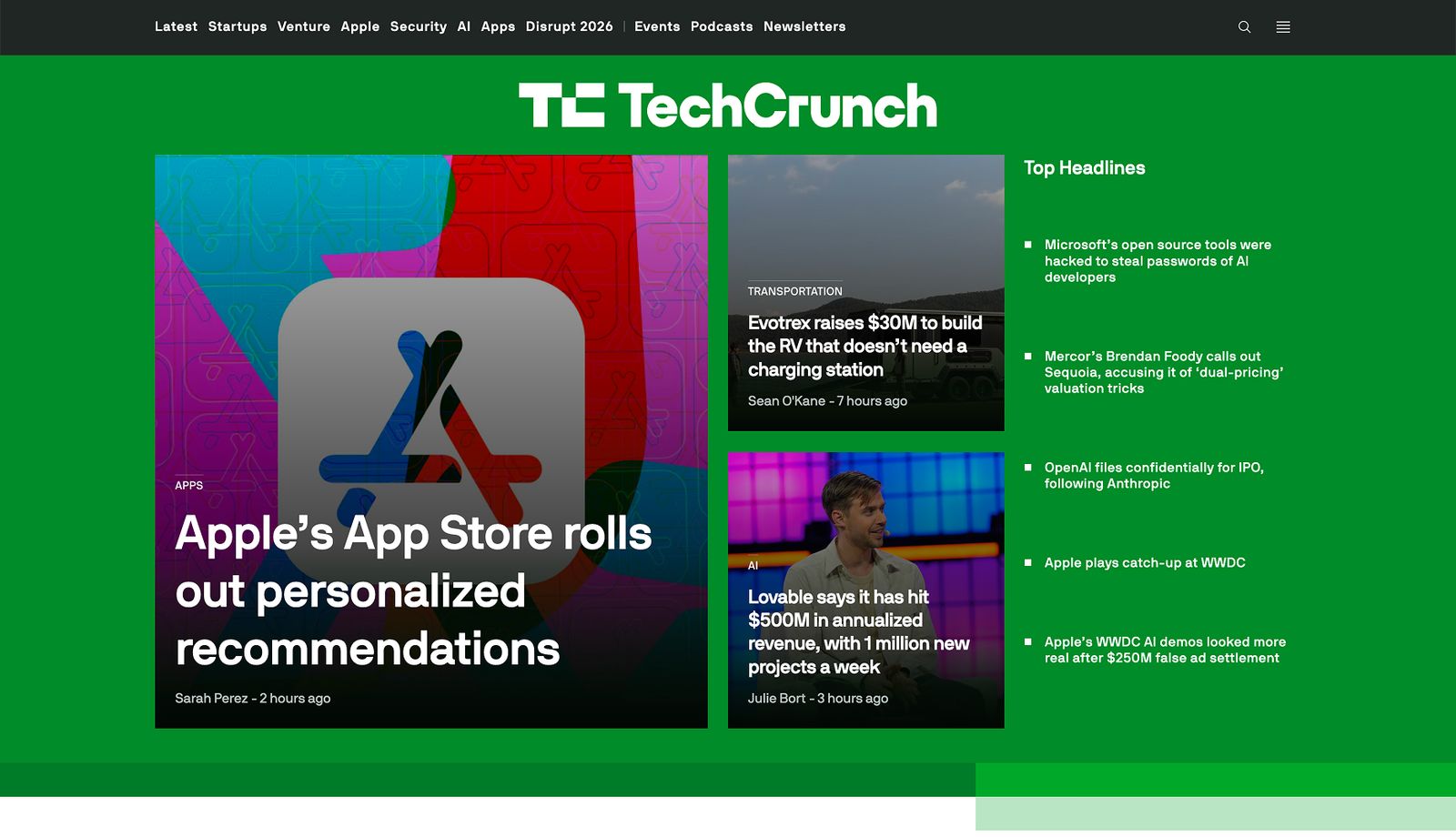
TechCrunch is a clear example of an informational website.
The site publishes technology, startup, venture capital, and business news. The structure is built around content discovery. Visitors can browse by topic, read recent stories, follow categories, and explore related articles.
The website is not trying to push one product on every page.
It is designed to publish and organize information.
That is the core role of an informational website.
4. Personal Websites
A personal website gives an individual a home base online.
It can be used by founders, designers, developers, writers, creators, consultants, students, or anyone who wants a place to collect their work and thinking.
Unlike a social profile, a personal website gives the person more control.
They decide what to publish, how to structure it, and how they want to present themselves.
A personal website can be professional, creative, experimental, or simple. It does not have to follow a corporate structure.
It can include:
- Bio
- Writing
- Projects
- Notes
- Portfolio pieces
- Experiments
- Personal interests
- Contact information
- Links to social profiles
- Speaking, podcasts, or media appearances
The best personal websites usually feel specific.
They give visitors a sense of the person behind the page.
Common features of personal websites
- About section
- Writing or blog
- Project archive
- Contact links
- Personal notes
- Work history
- Social links
- Newsletter sign-up, when relevant
Example: Chester’s Garden
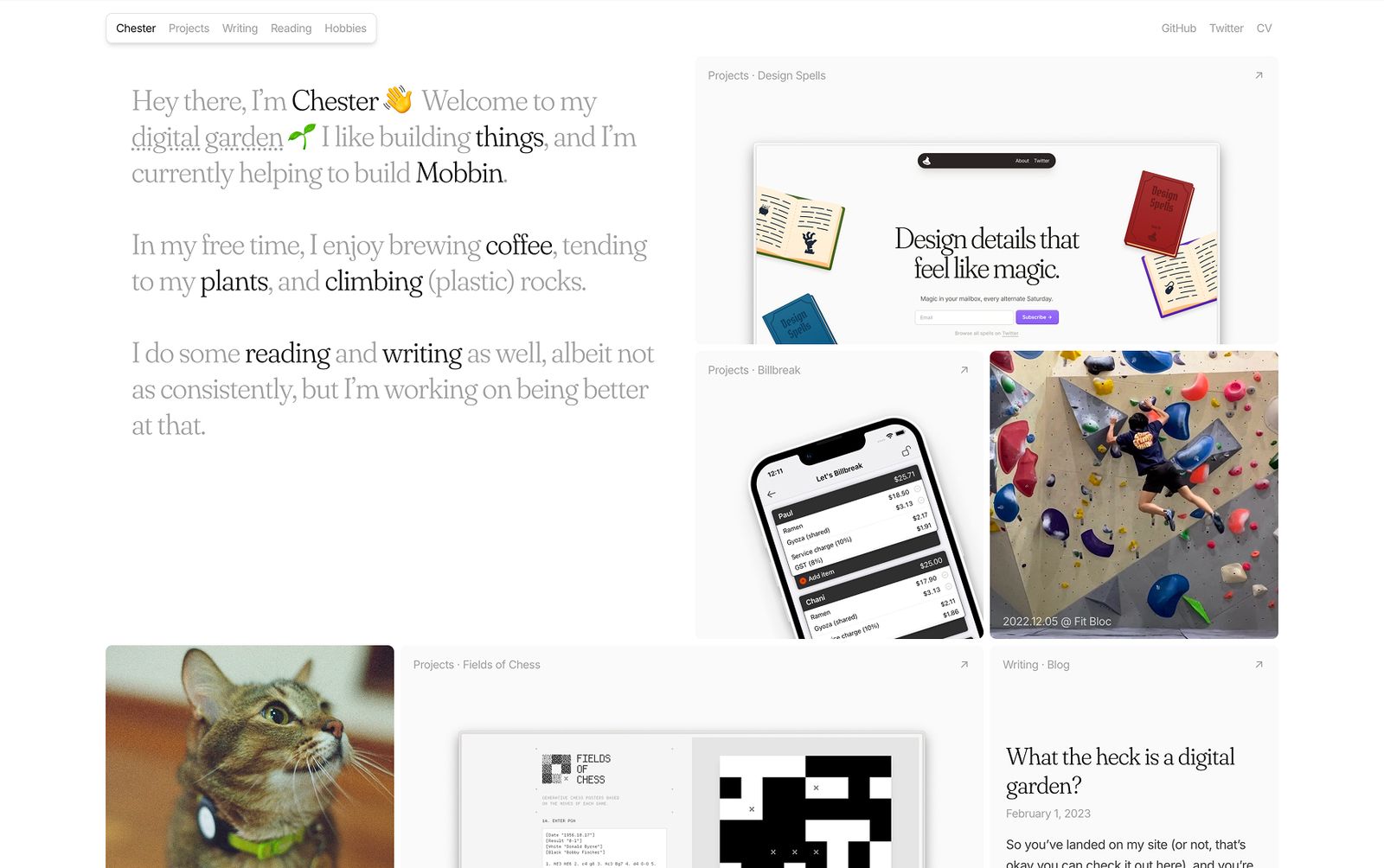
Chester’s Garden is a good example of a personal website that feels like a real digital home.
It introduces Chester, his work, his projects, and his interests in a way that feels personal rather than overly polished.
The site has more of a digital garden feel than a standard resume or portfolio. It gives visitors a way to explore what Chester works on, thinks about, and cares about.
That is what personal websites can do well.
They do not need to sell aggressively. They need to represent the person clearly.
5. Membership Websites
A membership website gives registered users access to content, tools, communities, or resources that are not available to everyone.
Access can be free, paid, or split across different tiers.
Membership websites are common for:
- Online courses
- Private communities
- Paid newsletters
- Coaching programs
- Resource libraries
- SaaS tools
- Professional networks
- Creator memberships
The main job of a membership website is to create a reason to join and a reason to stay.
Getting someone to sign up is only the first step.
The website also needs to keep members engaged after they join. That usually means the content, product, community, or ongoing value needs to be clear.
Common features of membership websites
- Sign-up and login
- Member dashboard
- Protected content
- Account settings
- Payment or subscription management
- Member-only resources
- Community features, when relevant
- Course or content progress, when relevant
Want to build a membership website of your own? We wrote a guide on how to create a membership website using Webflow and Memberstack Integration.
Example: FounderPass
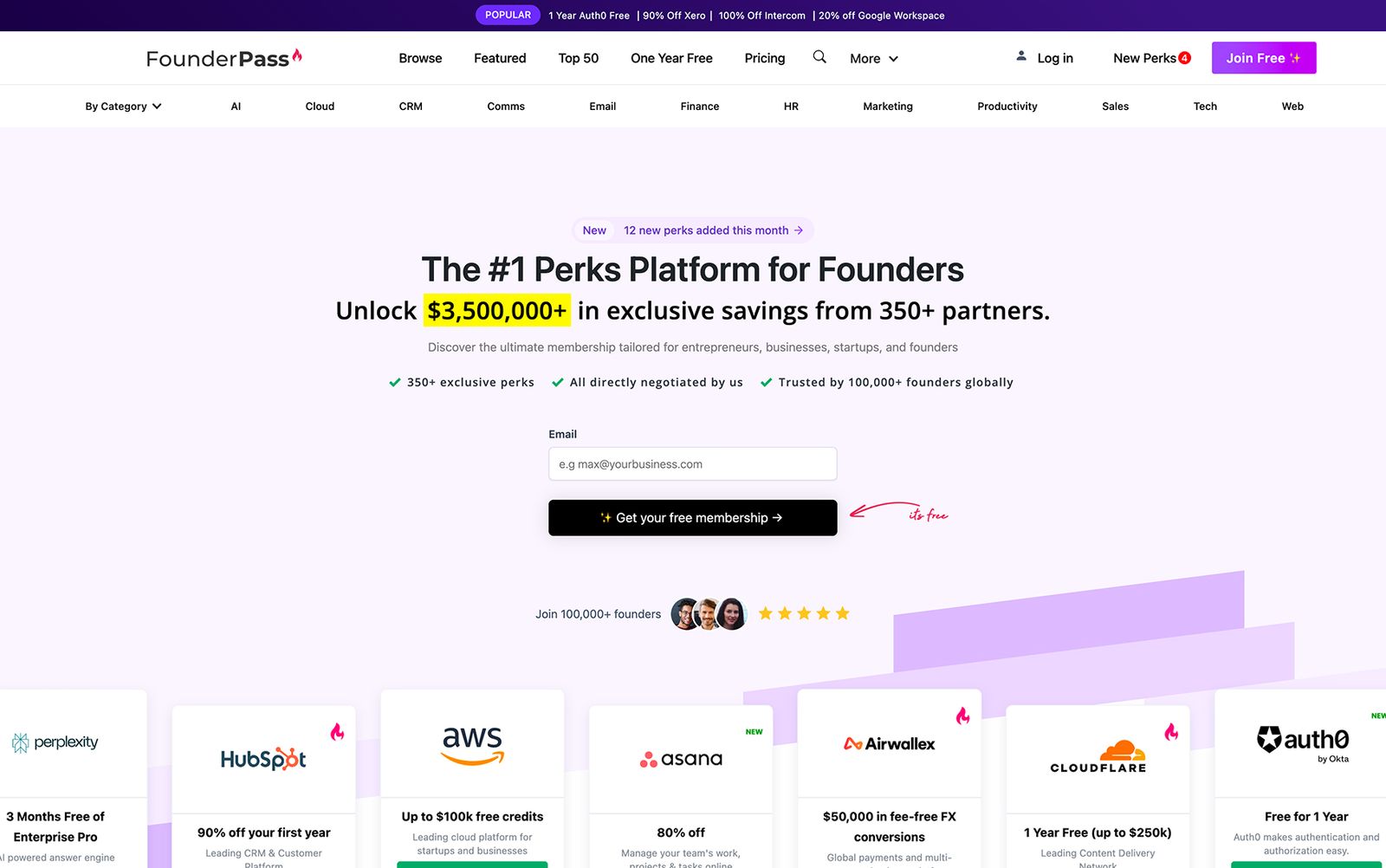
FounderPass is a useful example of a membership website because the value is easy to understand.
Members get access to deals and savings on business tools. The website explains what users get and why joining makes sense.
That clarity matters.
A membership website should not make people guess what is behind the login. It needs to show enough value before sign-up to make the next step feel worthwhile.
6. Portfolio Websites
A portfolio website showcases work.
It is common for designers, developers, photographers, writers, architects, artists, studios, and agencies.
The main goal is to build trust through examples.
A visitor lands on the website and wants to know:
Can this person or team do the work I need?
A strong portfolio answers that question with selected projects, context, visuals, and proof.
The mistake many portfolio websites make is showing work without explaining it.
A screenshot can show what something looked like, but it does not always explain the problem, the role, the process, or the outcome.
A better portfolio gives enough context for the work to mean something.
Common features of portfolio websites
- Selected projects
- Project pages
- Visual examples
- Case studies
- Role and contribution
- Results, when available
- Client or employer names, when possible
- Contact form or inquiry link
Example: Julie Guzal
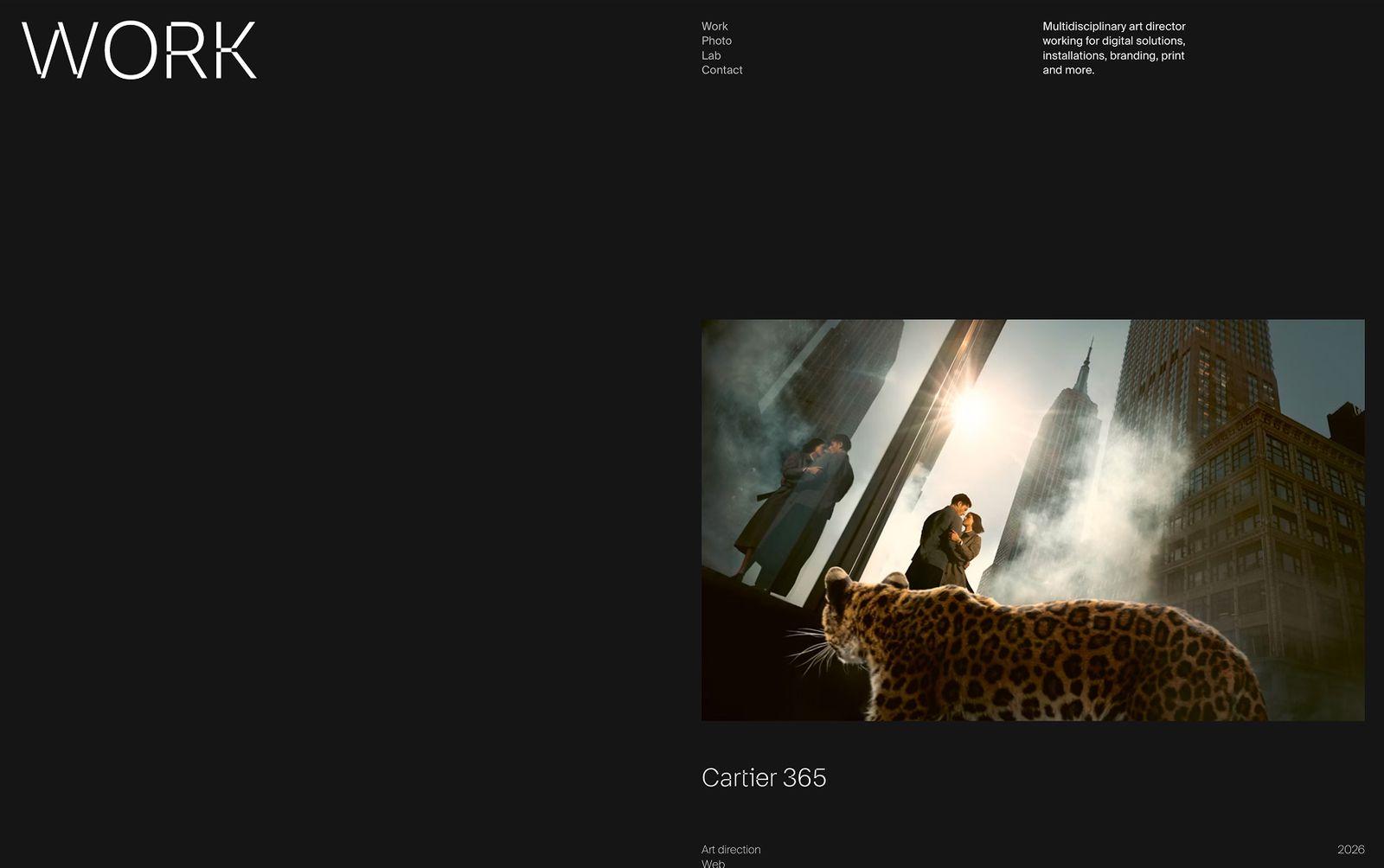
Julie Guzal’s portfolio is a strong example of how a creative website can create a clear impression.
The site uses a distinct visual style and interaction patterns to make the work feel memorable.
For creative professionals, the website itself becomes part of the proof.
It shows taste, execution, and attention to detail before the visitor even opens a project.
7. Forum Websites
A forum website is built around discussion.
Users can ask questions, answer questions, share opinions, and talk about specific topics.
Forums can be standalone websites or part of a larger website.
They are common in:
- Software communities
- Education platforms
- Product support hubs
- Developer communities
- Gaming communities
- Health communities
- Hobby communities
- Professional networks
The main goal of a forum is participation.
A forum website needs to make it easy for users to browse conversations, start discussions, reply to others, and find useful answers.
Forums can also become valuable support resources. If users answer questions for each other, the website becomes more useful over time.
Common features of forum websites
- User accounts
- Discussion categories
- Threads
- Replies
- Search
- Notifications
- Moderation tools
- Community guidelines
- User profiles
Example: Webflow Forum
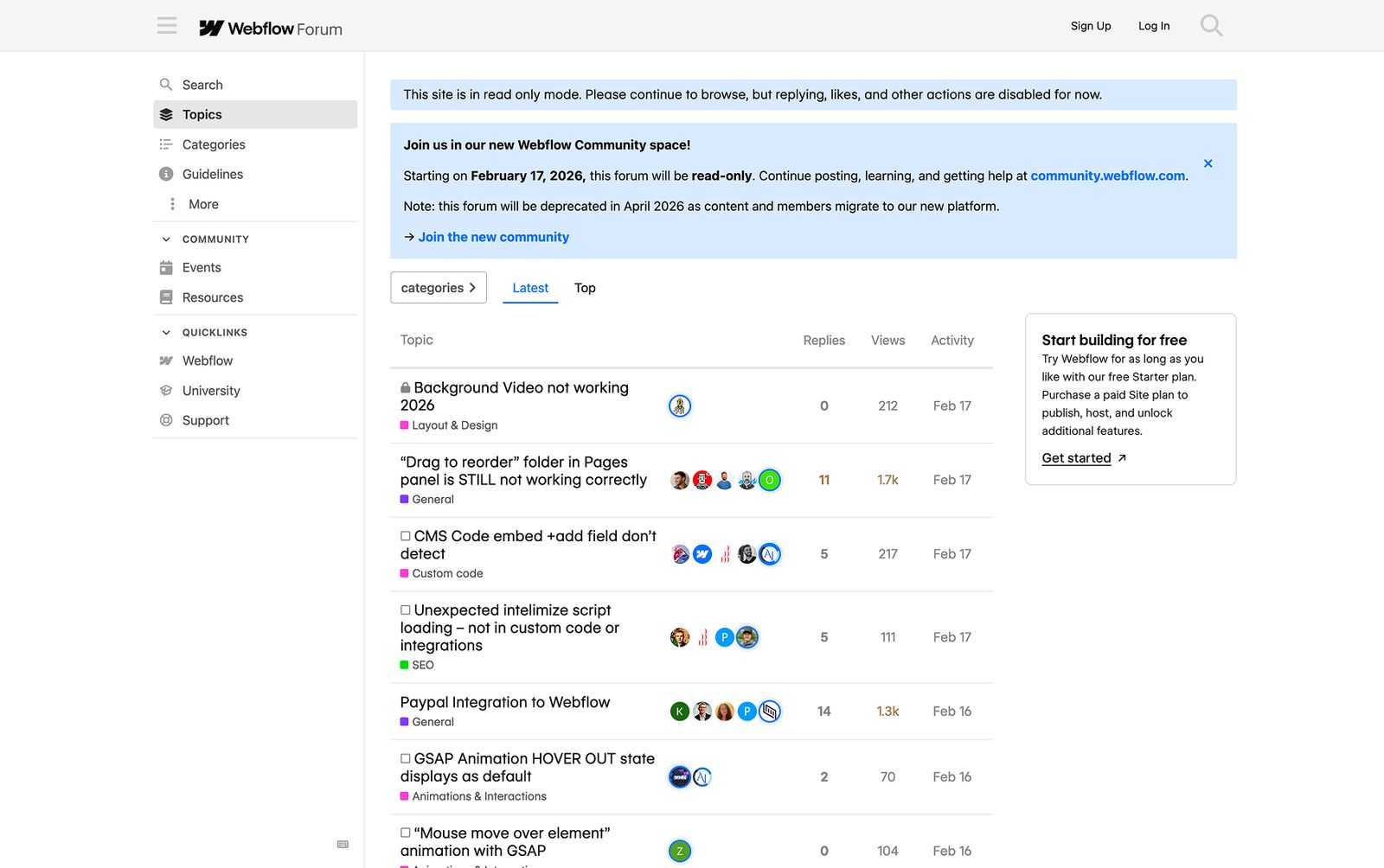
Webflow Forum is an example of a forum website built around product knowledge, troubleshooting, and community support.
Users can ask questions, share solutions, discuss Webflow features, and get help from other designers and developers.
That makes sense for a platform like Webflow. People run into layout issues, CMS questions, custom code problems, and workflow challenges that are often easier to solve through community discussion.
A forum adds something a static help article cannot.
It creates a searchable place where users can participate, learn from each other, and find answers to problems others have already solved.
How to Choose the Right Website Type
Choose the website type based on what the site needs to help users do.
If the goal is to explain a company and generate leads, you likely need a business website.
If users need to browse, compare, and buy products, you need an e-commerce website.
If the goal is to educate visitors or grow through search, an informational website or resource center makes sense.
If trust depends on showing past work, a portfolio website is the better fit.
If users need accounts, private content, tools, or community access, you may need a membership website, forum, or web application.
Some websites combine several types.
A SaaS company, for example, might need a business website to explain the product, a resource center to support SEO, a customer community to support users, and a gated academy to educate prospects or customers.
That is why choosing a website type is not always a simple label exercise. The better question is what role each part of the website needs to play.
At Khod, we primarily help B2B brands plan and build business websites, but we can also help you figure out what type of website fits your goals before moving forward.
If you’re still gathering inspiration, start with our AI website examples to see how fast-growing AI companies use structure, messaging, and design to explain their products.
FAQs About Types of Websites
What are the main types of websites?
The main types of websites are business websites, e-commerce websites, informational websites, personal websites, membership websites, portfolio websites, and forum websites.
Some websites fit into more than one category. For example, a SaaS website can be a business website, an informational website, and a membership website if it includes a blog and a logged-in customer area.
What are the 3 main types of websites?
The three broad types of websites are informational websites, transactional websites, and interactive websites.
Informational websites help users learn something. Transactional websites help users buy, book, or sign up. Interactive websites let users participate through accounts, dashboards, communities, forms, or tools.
What are examples of websites?
Examples of websites include company websites, online stores, blogs, portfolios, personal websites, membership platforms, forums, news websites, educational websites, and web applications.
For example, Headspace is a business website, Ledger is an e-commerce website, TechCrunch is an informational website, and Chester’s Garden is a personal website.
What type of website is Google?
Google is primarily a search engine website.
Its main purpose is to help users search the web and find information, websites, images, videos, news, maps, products, and other resources.
Google can also be described as a web application because users interact with it and receive dynamic results based on their search query. Unlike a static informational website, Google processes user input and generates a personalized results page.
So, the most accurate classification is:
Google is a search engine website with web application functionality.
What is the most popular type of website?
There is no single official “most popular” website type because websites often overlap across categories.
However, informational websites, business websites, e-commerce websites, and web applications are among the most common because they cover the main reasons people use the web: learning, comparing, buying, communicating, and completing tasks.
What is the difference between a website type and a web page type?
A website type describes the purpose of the whole website. For example, business website, e-commerce website, portfolio website, or forum website.
A web page type describes the role of an individual page inside the website. For example, homepage, about page, product page, pricing page, blog post, contact page, or landing page.
How do I choose the right type of website?
Choose the website type based on what the site needs to help users do.
If users need to buy products, build an e-commerce website. If they need to understand your company, build a business website. If they need to access private content or tools, build a membership website. If they need to view your work, build a portfolio website.
Share the Article
Table of Content


Kickstart your project today!
Book a call to discuss your goals and how we can help you reach them.
See Khod First on Google
Explore Related Articles
Website Strategy • Sep 10, 2026 • 15 min read
8 Best Webflow Agencies for AI Startups in 2026
Tool Comparisons • Jul 29, 2026 • 10 min read
Webflow vs Next.js: Pros, Cons, and How to Decide
Tool Comparisons • Jul 14, 2026 • 13 min read
Webflow vs Custom Code: Pros, Cons, and How to DecideYour Next Deal Starts With Your Website
Most deals are won or lost before your sales team gets involved. Let's make sure your site is ready for that moment.
