
Resource Center / Articles / How to Build a Business Website That Wins Deals
How to Build a Business Website That Wins Deals
 Vuk Lazarevic • Website Strategy • Published on Oct 21, 2024 • Updated on Jun 15, 2026 • 15 min read

TL;DR
Design is the first thing people judge your credibility on, ahead of your content, and they decide in about 50 milliseconds. Your site is graded the moment it loads.
Here's how to build your business website so it drives revenue:
- 1 – Start with strategy: Define one primary goal, the buyer you're building for, and how your pages move them, before you pick a tool.
- 2 – Choose the right platform: Decide on control and how you'll scale; Vibe coded websites, Wix, WordPress, and Webflow each trade off differently.
- 3 – Lock in domain and hosting: A short, memorable domain and fast, reliable hosting are the baseline.
- 4 – Design for trust and conversion: Win the above-the-fold (who it's for, what it does, why it's different), then build fast, responsive pages.
- 5 – Write content that sells and ranks: Lead with the buyer's problem in their words, and bake SEO in from day one.
- 6 – Launch, then iterate: QA everything, set up analytics, and treat the site as something you will work on forever.
Build in that order and you get a growth asset.
Why Most Business Websites Fail Before They're Built
Most business websites fail because nobody decided what the site was supposed to do before they started building it.
And the site is doing more of the selling than you think. Buyers research and form an opinion long before they contact you; in B2B, 75% now prefer to decide without ever talking to a sales rep. Whatever your site communicates in that window is your pitch.
A website without a strategy may look fine to the people who built it as they already know what the company does, but it confuses everyone else, because they don't.
That's the gap this guide is built to narrow down. Your website should earn trust, rank, and turn visitors into customers. This is how to build a business website right.
The build sequence matters, and it doesn't start with a builder. It starts with three decisions most people skip.
Step 1: Start With Strategy
Open any "build a website" guide and the first move is the same: choose a platform, which is backwards.
The decisions that determine whether your site works happen before anything else.
First thing’s first, answer the following questions:
- Who is the site for?
- What is it supposed to make them do?
- How will they get there?
Getting the answers wrong will be the most costly mistake for your website.
This is the part we spend the most time on at Khod. Every project starts with a dedicated strategy phase, our GROW Framework, before any design begins.
Define What the Website Actually Needs to Do
In the 21st century, "being online" is a side effect of running the business, not a goal.
Pick one primary goal, and the metric that proves it:
- Generate qualified leads? You're measuring form fills and booked calls.
- Sell products? Conversions and revenue.
- Build credibility before a sales call? Time on page and volume of branded searches.
You can have secondary goals, but you get one primary, and every following decision bends toward it: layout, copy, CTAs.
The common mistake we find when working with founders is the resistance towards choosing a single primary goal. They usually feel like they are leaving money on the table because there’s only one goal.
Our practice shows that a site trying to do five things does none of them well. Unless you have a ton of resources to throw at reaching all goals simultaneously, the lack of focus will bring mediocre results (if any).
Get Specific About Who You're Building For
You're not building this for yourself, so come up with an ideal client profile (ICP). It’s the one person most likely to buy.
Using demographics and job titles is not enough. Two CMOs can have completely different motivations, budgets, objections, and urgency. And we’ve not even started to talk about the decision makers in different roles.
Instead, answer these questions:
- What happened that made them start looking for a solution you offer?
Identify the trigger event that caused them pain such as a decrease in leads, a project failed, or leadership setting a new goal. - What are they currently doing instead?
What have they done to try to fix the problem? Why is it insufficient? - Why hasn't that approach worked?
Look for the limitations: too slow, too expensive, too manual, or not producing results. - What does success look like six months after they buy?
Focus on outcomes. What improves if your solution works? - What are they afraid of getting wrong?
Examples: wasting money, choosing the wrong option, or failing to get results. Address those concerns directly. - What alternatives are they comparing you against?
Competitors are part of the picture. Buyers may also compare you to internal hires, using software, delaying the project, or doing nothing. - What proof would make them trust you faster?
Think case studies, testimonials, results, client logos, or other evidence that reduces skepticism. - What questions do they ask before scheduling a call?
Review sales calls and emails and look for repeated questions. - What words would they type into Google / AI when trying to solve this problem?
Focus on the language buyers use. Most search for problems and outcomes over industry jargon.
For example, a startup founder looking for a website is rarely searching for "website design."
They're searching for outcomes:
- Why isn't my website generating leads?
- Why does my conversion rate suck?
- How do I improve website performance?
- How do I redesign a SaaS website?
- Why isn't SEO working?
The closer your website speaks to the problem already happening in the buyer's head, the less convincing you have to do.
A site that tries to speak to everyone ends up speaking to no one. A site built around a specific buyer, problem, and desired outcome feels like it was written specifically for them.
Map Your Pages to the Buyer's Journey
Plan your site structure around how buyers move through their decisions.
Someone landing into your site cold needs to answer "is this for me?" before they click anything. On the other hand, someone ready to act needs an obvious next step. Your page structure (the order of sections within each page) should walk them through that.
If you want a repeatable way to do this, our funnel mapping template lines up each page and section against the stage of the journey it's meant to serve.
Step 2: Choose the Right Platform for How You'll Run the Site
Only now can you pick a platform to build your site on.
The main question to ask yourself is “Which platform fits how we'll run this site a year from now?”
The answer depends on who maintains the site, how fast you'll need to change it, and how much you'll grow the site.
Website Builders vs CMS vs Custom Build
There's no universally "best" platform. “Best” is a subjective claim that depends on your situation, team, technical ability, and biases.
All-in-One Builders (Wix, Squarespace)
These are the fastest way to get a site live. Hosting, templates, and the editor are bundled together. Once your needs become more custom though, you can get bottlenecked by limited design control, CMS limitations, and scaling issues.
WordPress + a Page Builder
WordPress gives you near-unlimited flexibility and the biggest plugin ecosystem on the web. The cost is maintenance. You're responsible for hosting, updates, security, performance, and the occasional plugin conflict.
Webflow
Webflow sits where a lot of growth-focused teams, including us, land. It offers visual design freedom and a CMS, meaning you won’t have to depend on developers for every change. The learning curve is significant compared to Wix, but the platform gives you far more control. If you decide on building your site with Webflow, we can help you overcome the learning curve.
Custom Builds
Custom builds are the most flexible and usually the most expensive. This now includes traditional custom development and AI-assisted, vibe-coded websites.
That second category is becoming much more common. Technical teams can now ship custom websites faster than before because AI has changed the speed of frontend development. Here’s an example of what that workflow looks like:
That does not mean custom builds are suddenly right for everyone. The tradeoff is ownership.
If someone on the team understands the codebase, deployment workflow, integrations, and maintenance requirements, a custom build can move very fast. If nobody does, every small change can turn into a developer dependency.
For most business websites, custom is still overkill. You'll know if you need it, but most don’t.
The practical rule is simple:
- Use a builder if you need something simple live quickly.
- Use WordPress if you need flexibility and can handle maintenance.
- Use Webflow if marketing needs control without depending on developers.
- Use custom if you have technical ownership and need maximum flexibility and/or speed.
The wrong platform is the one your team cannot operate.
Step 3: Lock In Your Domain and Hosting
This step is boring and load-bearing.
Choosing a Domain Name That Builds Trust
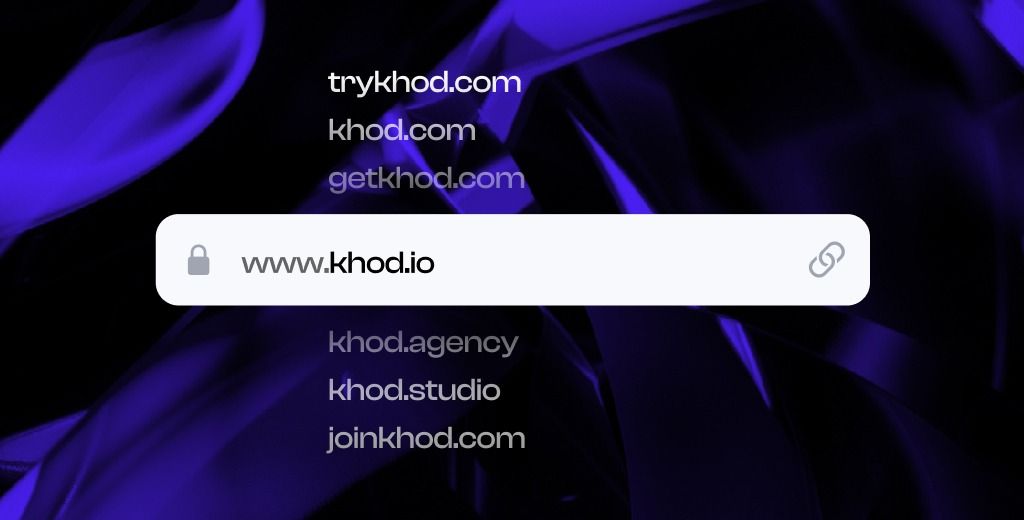
Your domain is one of the first things people see when stumbling across your business. It’s also one of the things they remember. Keep it short, easy to say out loud, and easy to spell after hearing it once. Go for the .com if you can. It's still the default people trust and type by reflex. Avoid hyphens, numbers, and clever misspellings that you'll spend years explaining over the phone.
Need help choosing a domain for your business? We wrote a guide on choosing a business domain.
What to Look for in Hosting
Hosting decides how fast your site loads and how often it's up, both of which affect rankings and conversions directly. Prioritize speed, uptime, security (SSL is non-negotiable), and room to scale.
If you're on an all-in-one builder or Webflow, hosting is bundled and managed for you, which is one less thing to break. On WordPress, you'll choose and manage it yourself, so pick a reputable managed host rather than the cheapest plan you can find. Cheap hosting is expensive when your site is slow or down.
Step 4: Design for Trust and Conversion, Not Just Looks
Remember that design is the first thing people judge you on? This is where you earn that judgment or lose it.
Design is communication. A good design guides the visitor toward action. But there’s a difference between a good design and a beautiful one. A beautiful site that doesn't move people is like an expensive painting (except you probably can’t resell it).
Win the Above-the-Fold
You have roughly 50 milliseconds to create a first impression, and it colors everything they read next either positively or in a bad way.
So the top of every key page has one job: answer three questions before the visitor has to think about them.
Who is this for? What does it do? Why is it different?
If any of the three takes more than a beat to answer, the positioning isn't ready, and no animation will rescue it. This is the single highest-leverage test in web design, and most sites fail it.
The Core Pages Every Business Website Needs
Most business sites need the same handful of pages. Each page has a different job:
- Homepage: Often wrongly referred to as the landing page. Its goal is to point visitors to the obvious next step (see case studies, explore product features, explore the company’s about page, etc.).
- About: Explain the reason a buyer should trust you. It should include your mission, the people, and why you're credible.
- Services or Products: We refer to them as your money pages for obvious reasons. They should be framed around the buyer's outcomes, but also showcase the features the buyers may be interested in.
- Contact: The goal of this page is self explanatory, but there are different types of contact pages such as demo contact page, partnerships, and more.
- Proof (case studies, testimonials, blog): The goal of these pages is to turn "interesting" into "trustworthy."
Mobile, Speed, and Accessibility
Your site needs to work well on every device. Whether mobile or desktop gets priority depends on how your buyers actually use the site.
Mobile drives roughly 60% of global web traffic on average, but that average hides the B2B / B2C split. Consumer buyers browse and purchase heavily on mobile. B2B buyers often research during work hours, compare options, and submit forms from desktop.
Build responsively either way. Then use analytics to see where your traffic, engagement, and conversions actually come from.
Speed matters too. Google found that bounce rates increase by 32% when the load time goes from one to three seconds. For B2B sites, a one-second load time can convert up to three times better than a five-second load time.
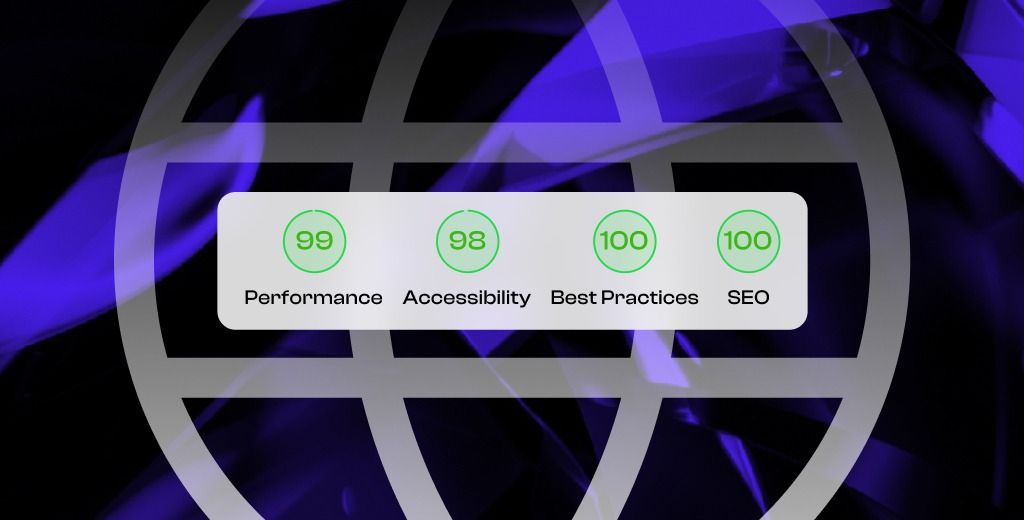
Keep the build clean, compress images, avoid unnecessary scripts, and test key pages before launch.
Accessibility belongs in the baseline too. People should be able to read, navigate, click, and submit forms without fighting the interface.
Treat mobile, speed, and accessibility as part of the build from day one.
Step 5: Write Content That Sells and Ranks
People find websites by searching them either through a search engine like Google, or by asking questions in AIs such as ChatGPT, Perplexity, etc.
Either way, your site needs content that matches the questions, problems, and comparisons your buyers are already researching.
If your site only explains what you sell, it will miss a lot of that demand.
Lead With the Buyer’s Problem
Buyers usually do not start with your product category.
They start with a problem:
- “Why is my website not generating leads?”
- “How do I improve conversion rate?”
- “Best website platform for B2B startups”
- “Webflow vs WordPress”
- “How much does a business website cost?”
Your content should answer those questions clearly, then connect the answer back to what you do.
That applies to service pages, product pages, blog posts, case studies, and FAQs. The more closely your content matches how buyers describe the problem, the easier it is for them to understand why your offer is relevant.
Optimize for Search From Day One
SEO should be planned before the site is built.
Start by researching the keywords and questions your buyers search. Then map each important topic to a specific page. One page should have one primary job.
To ensure your SEO campaign suceeds, start your optimization efforts before the site is built. Keyword research, content planning, and site architecture should happen before design and development begin.
For example:
- Homepage: brand and core offer
- Service page: commercial intent
- Comparison page: buyer evaluation
- Blog post: educational search intent
- Case study: proof and trust
Then cover the basics:
- Use clear page titles and meta descriptions
- Structure pages with proper headings
- Add internal links between related pages
- Write useful alt text for images
- Make sure important pages are indexable
- Answer common questions directly
The goal is to make the site easier to find, easier to understand, and easier to trust. This is something we're focusing on as part of our SEO services.
Step 6: Test, Launch, and Keep Improving
Launching the site gives you version one.
From that point on, the site should be measured and improved based on real behavior.
Set Up Analytics Before Launch
You cannot improve what you don't know needs improvement. Before launch, connect the basic measurement stack:
- GA4 to track traffic, events, and conversions
- Google Search Console to see how the site performs in search
- Microsoft Clarity or a similar tool to review heatmaps and session recordings
At minimum, track form submissions, booked calls, CTA clicks, key page views, and traffic sources. Otherwise, you will not know which pages are helping the business and which ones are underperforming.
Run a Pre-Launch QA Pass
Before you announce the site, test the things that directly affect revenue.
Click every key link. Submit every form. Test booking flows. Check the site on mobile, tablet, and desktop. Review it in more than one browser. Confirm analytics events are firing.
Small issues can create real conversion loss after launch:
- Broken forms
- Dead CTA links
- Bad mobile layouts
- Slow pages
- Missing tracking
- Thank-you pages that do not load
- Calendars that do not embed properly
These are easy to miss and expensive to ignore.
Use the Data After Launch
The best websites are improved after launch.
Use analytics to answer practical questions:
- Which pages bring qualified traffic?
- Where do visitors drop off?
- Which CTAs get clicked?
- Which forms are started but not submitted?
- Which pages rank but do not convert?
- Which pages convert but do not get enough traffic?
Each answer tells you what to fix next.
A site that is measured and improved can compound over time. If you want to put a number on it, our website ROI calculator shows what those improvements are worth.
How Much Does It Cost, and Should You DIY or Hire a Pro?
The honest answer to "what does a business website cost" is: anywhere from a few hundred dollars to hundreds of thousands, depending on who builds it. Treat the ranges below as a rough guide rather than a quote, since real cost tracks scope more than anything else.
- DIY on a builder runs you the cost of a subscription and domain (call it a few hundred dollars a year) plus your time. It's the right call for a simple site when budget is tighter than time and the website isn't yet core to how you win business.
- A freelancer lands in the middle: more polish than DIY, less cost than an agency, but you're usually getting one discipline. Design or development, rarely strategy, SEO, and conversion together.
- An agency is the most expensive and the right call when the website needs to actually drive revenue. You're paying for strategy, design, development, and SEO working as one system, plus the speed of a team that's done it many times.
The real question isn't the sticker price, it's the opportunity cost of a site that doesn't convert while you figure it out yourself.
There's no universally correct choice here. There's the one that matches what the site needs to do and what it's worth to your business to get it right.
Build a Website That Works as Hard as You Do
Building a business website is a growth decision.
Get the order right (strategy, then platform, then design, then content, then launch and optimize) and you end up with an asset that earns trust, ranks, and brings in customers while you sleep. Skip the strategy and rush to the builder, and you get a site that looks fine and does nothing.
The companies that win online aren't the ones with the flashiest sites, but the ones who decided what the site was for before they built it.
If you'd rather build it right the first time with a team that handles strategy, design, development, and SEO as one system, book a strategy call. We take on a limited number of projects each quarter, so we can stay close to every one.
Frequently Asked Questions
How much does it cost to build a business website?
Anywhere from a few hundred dollars to tens of thousands. A DIY builder costs the price of a subscription and domain plus your time; a freelancer typically runs four figures; a full-service agency build runs higher because you're paying for strategy, design, development, and SEO as one system. What moves the number most is scope and whether the site needs to actively generate pipeline or just exist.
Can I build a business website for free?
Technically yes, several builders offer free tiers. But "free" usually means a builder-branded subdomain, ads, limited features, and no custom domain, all of which quietly undercut your credibility. For a real business, the unavoidable costs are a domain and (usually) a paid plan. The bigger hidden cost is the lost trust and conversions a cheap-looking site creates.
Can ChatGPT or AI build a business website?
AI can generate a website fast, and tools like ChatGPT are great for first drafts of copy and layout. What they can't do well is the strategy that makes a site convert: sharp positioning, buyer-focused messaging, and the judgment about what to say first. Use AI to move faster inside a solid plan, not as a replacement for having one.
How long does it take to build a business website?
A simple DIY site can go live in a weekend. A considered, conversion-focused build is usually a matter of weeks once strategy is settled, and most of our projects ship in four to eight. The timeline is driven far more by how ready your strategy and content are than by the building itself.
What pages does a business website need?
At minimum: a homepage, an about page, a services or products page, and a contact page. Add proof pages (case studies, testimonials, and a blog) to build credibility and bring in organic traffic. The number of pages matters less than whether each one has a clear job in moving a buyer toward action.
What's the best platform to build a business website?
There's no single winner, it depends on how you'll run the site. All-in-one builders like Wix and Squarespace are fastest for simple sites; WordPress offers the most flexibility in exchange for maintenance; Webflow gives marketing teams design control and a CMS without engineering dependencies. Choose based on who maintains the site and how much you plan to grow, not on which one is easiest to start.
Should I build the website myself or hire an agency?
Build it yourself when the site is simple, budget is tight, and the website isn't yet central to how you win business. Hire a professional when the site needs to drive real pipeline and you want strategy, design, development, and SEO working together. The deciding factor is what a high-performing site is worth to your business versus the time you'd spend getting there alone.
Do I need an LLC to launch a business website?
No. You can build and launch a business website without forming an LLC or any formal business entity. An LLC affects your liability and taxes, not your ability to publish a site or sell online. Rules vary by country and state, and in the U.S. the SBA lays out how business structure affects liability and taxes, but the website itself isn't a prerequisite. Forming one is still worth considering as the business grows.
Share the Article
Table of Content


Kickstart your project today!
Book a call to discuss your goals and how we can help you reach them.
See Khod First on Google
Explore Related Articles
Website Strategy • Sep 10, 2026 • 15 min read
8 Best Webflow Agencies for AI Startups in 2026
Tool Comparisons • Jul 29, 2026 • 10 min read
Webflow vs Next.js: Pros, Cons, and How to Decide
Tool Comparisons • Jul 14, 2026 • 13 min read
Webflow vs Custom Code: Pros, Cons, and How to DecideYour Next Deal Starts With Your Website
Most deals are won or lost before your sales team gets involved. Let's make sure your site is ready for that moment.
